
Design-to-Code: Preserving Brand Aesthetics in Software
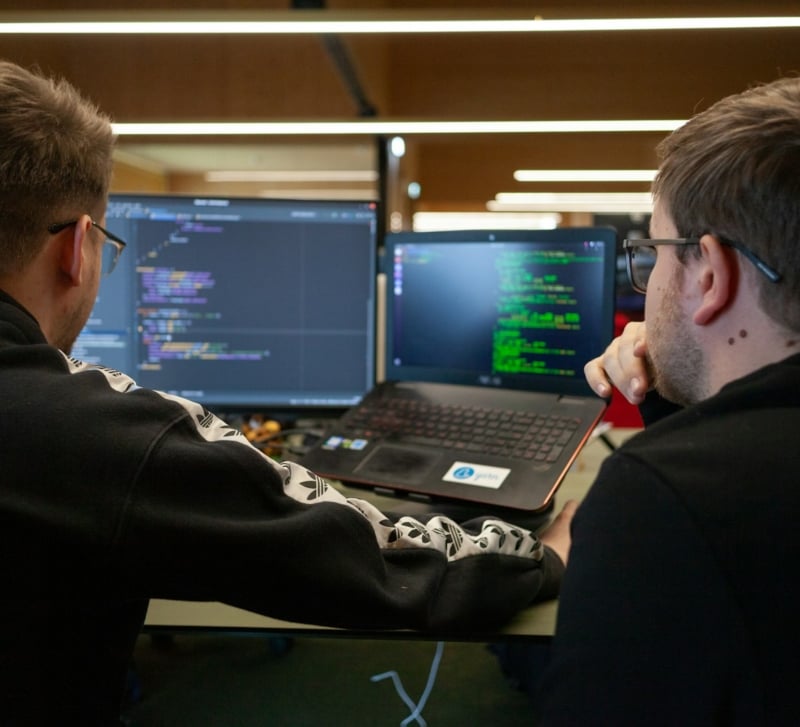
How your product looks is just as important as how it works. From custom fonts to button spacing, every visual detail communicates your brand identity. But between the design handoff and the final build, something often gets lost. This is the challenge of design-to-code — the process of converting a static visual design into dynamic, interactive software that looks and feels exactly as intended.
Maintaining brand aesthetics across browsers, devices, and resolutions is more than a visual concern — it’s a technical commitment. It requires pixel-perfect implementation, responsiveness, typography accuracy, and seamless user interactions. This article explores why visual fidelity matters, where it breaks down, and how collaborating with the right team — such as a trusted nearshore software development agency — ensures your brand’s essence is preserved from Figma to final release.
The Importance of Visual Fidelity
Visual fidelity refers to how accurately a digital product mirrors its original design specifications. Whether it’s your website, app, or dashboard, the colors, typography, spacing, motion, and layout play a significant role in user perception. Poor implementation can create a jarring disconnect between design and product, undermining trust and usability.
Why it matters:
- Brand Consistency: Inconsistent visuals weaken brand recognition. Fonts that don’t match or off-brand color substitutions dilute your identity.
- User Experience: Misaligned layouts or off-centered content can make your product feel unfinished or confusing.
- Professionalism: Polished interfaces build confidence in your product’s quality and your company’s reliability.
- Accessibility: Design systems often incorporate accessibility best practices — breaking from them can hurt usability for all users.
Designs are not just aesthetic flourishes. They represent intentional user experiences. When code fails to reflect design accurately, it’s not a matter of taste — it’s a broken promise.
Where Fidelity Breaks: Common Pitfalls in Design-to-Code
Despite the best intentions, design fidelity often falters during the translation from static design files to live code. Here are the most common culprits:
1. Cross-Browser Inconsistencies
Browsers interpret code slightly differently. What looks perfect in Chrome may shift in Firefox or break in Safari. Without rigorous cross-browser testing, subtle layout bugs and visual drift can occur.
2. Responsive Design Issues
A layout that shines on desktop may collapse awkwardly on mobile. Without careful consideration of breakpoints, margins, and component scaling, your product may appear inconsistent or unusable on various screen sizes.
3. Font Rendering Differences
Typography is a key aspect of brand identity. However, not all fonts render the same across devices. A brand font may look great on Mac but appear jagged on Windows if not properly optimized or if fallbacks are poorly configured.
4. Improper Asset Handling
Icons, logos, and images often get compressed or resized incorrectly, leading to pixelation or misalignment. SVGs, retina images, and modern formats like WebP should be carefully integrated to ensure clarity and performance.
5. Lack of Design System Integration
If your development team doesn’t implement your design system as intended — using inconsistent paddings, border-radius, or color variables — visual coherence suffers. Over time, this can lead to “UI debt” and fragmented interfaces.
Bridging the Gap: Engineering Precision Meets Design Vision
Closing the design-to-code gap isn’t about working harder — it’s about working smarter with specialists who understand both disciplines. Translating complex visual requirements into consistent, scalable front-end code requires:
- Expert front-end engineering
- Deep understanding of modern CSS, animation libraries, and responsive frameworks
- Precise handoff processes between designers and developers
- A culture of pixel-perfection and attention to detail
This is where a dedicated partner like a nearshore software development agency such as URUIT becomes indispensable. With seasoned UI engineers, a process-first approach, and alignment with design principles, they ensure that what you see in Figma is exactly what your users experience in the browser.
Why URUIT is the Ideal Partner for Visual Precision
URUIT brings a unique blend of technical expertise and design sensitivity to the software development process. As a nearshore software development agency, they offer:
✔ Collaborative Design-to-Code Culture
URUIT emphasizes close communication between designers and developers to ensure no detail gets lost in translation. Their engineers are trained to treat every component as part of a cohesive design system — not isolated tasks.
✔ Front-End Excellence
From CSS Grid and Flexbox to Tailwind, React, and animation libraries, URUIT’s team is fluent in the tools required to deliver pixel-perfect results.
✔ Responsive-First Thinking
URUIT builds with mobile, tablet, and desktop in mind from the start, ensuring that layouts remain beautiful and functional no matter the screen size.
✔ Design System Integration
URUIT doesn’t just follow design guidelines — they codify them. Whether you’re using Material UI, your own proprietary system, or tools like Storybook, they create maintainable, reusable component libraries that embody your brand.
✔ Quality Assurance at Every Step
Design fidelity is a QA concern too. URUIT integrates visual regression testing, manual QA, and performance audits to verify that design integrity holds up in the real world.
The Technical Tools Behind Visual Fidelity
To preserve aesthetics across platforms, experienced engineers leverage a range of best practices and tools. Here are some essential elements URUIT and similar agencies use to keep designs consistent:
✦ CSS Variables and Utility Classes
By using design tokens — such as --primary-color or --font-size-heading — developers ensure consistent styling across the entire app. Utility-first frameworks like Tailwind CSS accelerate this process while enforcing structure.
✦ Component-Driven Development
React, Vue, and other component-based frameworks allow modular development. This promotes reusability, reduces duplication, and ensures the same logic and design apply wherever a UI element appears.
✦ Storybook Integration
Tools like Storybook help visualize components in isolation, document variations, and test responsiveness and behavior. This sandboxed environment supports designer-developer collaboration.
✦ Visual Regression Testing
Automated tools like Percy or Chromatic take screenshots across updates and alert teams when visual changes occur — catching deviations from the design system early.
✦ Font Optimization
From self-hosting web fonts to setting appropriate font-display values (like swap) and ensuring Unicode character support, font rendering is fine-tuned to preserve brand identity.
Collaboration Is Key: Designers + Developers in Sync
Even the best tools mean nothing without a collaborative workflow. Here’s how successful design-to-code collaboration happens:
🔄 Iterative Reviews
Rather than waiting until the end to test visual fidelity, engineers at agencies like URUIT conduct ongoing design reviews — often with the designer present — to fine-tune spacing, animations, and typography.
📐 Design Tokens + Style Guides
Developers and designers agree on a shared source of truth: a living document of margins, font sizes, color codes, and interaction rules. This reduces ambiguity and ensures scalability.
🧪 Test Across Devices
Real-device testing goes beyond simulations. Responsive emulators are helpful, but only real devices reveal true font rendering, tap targets, and hardware constraints.
💬 Feedback Loops
Quick feedback cycles between design and engineering ensure that inconsistencies are addressed immediately, not at the end of a sprint when fixing becomes costly.
Avoiding the Frankensteined UI
A poorly implemented UI is easy to spot: buttons with inconsistent padding, hover effects that feel clunky, misaligned cards, and font mismatches. This Frankenstein effect not only frustrates users but also costs brands their credibility.
By contrast, a high-fidelity build feels cohesive, intentional, and polished. Every animation, margin, and visual nuance feels just right — because it is right. That’s the outcome of thoughtful, disciplined design-to-code practices.
When Should You Prioritize Visual Fidelity?
Some startups may delay focusing on pixel-perfect implementation during MVP development — and that’s okay. But as you scale or launch a design revamp, preserving aesthetics becomes a competitive advantage.
Prioritize visual fidelity when:
- Launching a public-facing product or website
- Implementing a major rebrand
- Seeking to increase user trust and perceived quality
- Building B2B tools that require executive buy-in
- Designing for industries like finance, health, or luxury — where appearance = trust
Final Thoughts: Beauty Meets Function Through Engineering
In today’s product-driven world, great design isn’t optional — and great implementation is non-negotiable. Every pixel carries meaning. Every interaction shapes perception. Preserving your brand’s aesthetic from design to deployment is a matter of precision, process, and partnership.
By working with a dedicated nearshore software development agency like URUIT, you gain more than just developers — you gain UI craftsmen who understand that true front-end success lies in honoring your design vision down to the last pixel.