
Best Tools To Create Studio-Like Backgrounds For Product Photos
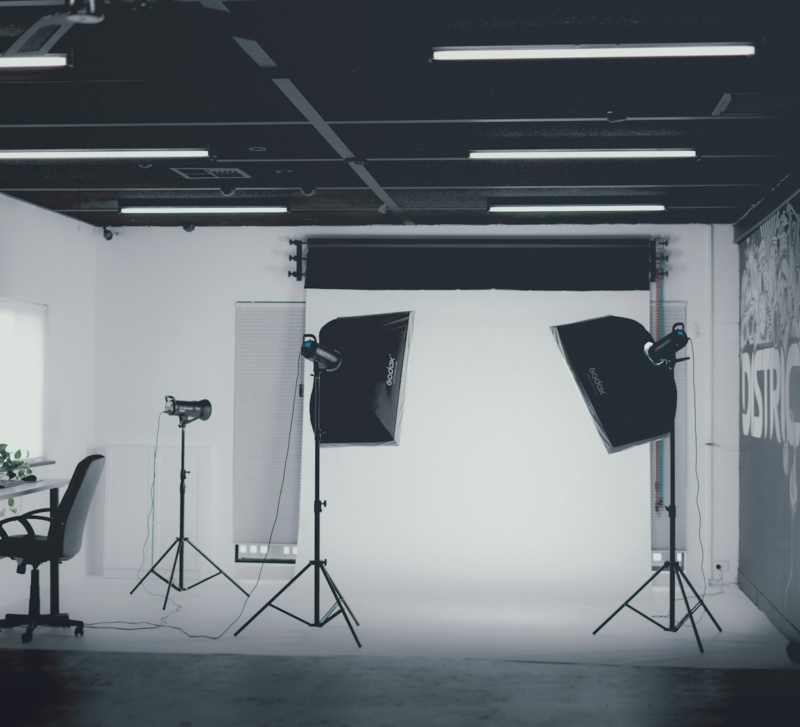
Have you ever looked at images of your items and wished they had a background that looked like it came from a professional studio? You’re not the only one. Before, if you wanted to take pictures of things with polished backgrounds that attracted people’s attention, you had to hire a professional photographer, use expensive equipment, and spend hours editing the shots. AI background generators are changing the way things look.
You can now make beautiful, studio-like backgrounds for your product shots in only a few minutes, whether you run a small business, sell things online, or advertise on social media. Let’s look at the top tools that can help you take better pictures of your products without costing a lot of money or requiring a degree in graphic design.
What Is an AI Generator for Backgrounds?
An AI background generator can automatically produce, update, or improve the backgrounds in your product images. You could utilize an AI background generator like you would a professional photo studio and a competent editor, but it’s faster, cheaper, and easier to use.
After you properly isolate the topic from the background in your product photo, these apps will either erase the image totally or replace it with a unique scene. It would normally take hours of human editing to get results that appear authentic and professional, but the AI knows how to use light, shadows, and perspective.
Why Product Images Need to Have Backgrounds That Appear Like Studios
Before we discuss the tools, let’s talk about why this is good for your business.
Backdrops for professionals are more than just lovely. They have a direct impact on how many people buy from you and how they think about your brand. When customers see your products in clean, professional settings, they are more likely to buy from you.
In bustling markets, studio-like backgrounds also help your products stand out. People will see your polished product photos and recognize that your products are of good quality before they read your description. This is true whether you sell on Amazon, Etsy, or your website.
Tools That Work Best for Making Studio-Like Backgrounds
1. Quillbot’s AI Background Generator
Do you want a tool that is both strong and simple to use? You don’t have to learn anything new to get professional results straight away with the QuillBot AI Background Generator.
This tool excels in creating studio-quality backgrounds that enhance the appearance of your products. Simply upload a picture of your items, and the AI will automatically remove the backdrop. You can either choose a professional backdrop or make your own that fits with your company’s design.
What is it that makes QuillBot’s AI Background so special?
The best thing about a generator is that it can use both sun and shade. The application makes these changes on its own so that your product looks like it fits in with its new surroundings. Strange cuts and poor lighting do not appear, giving the impression of amateur editing.
Important traits:
- Automatic background removal and precise edge detection
- A choice of backgrounds from real studios
- How to make your own history
- Changes to smart lighting and shadows
- Processing a lot of photos at once
- An interface that is easy to use and doesn’t require any design skills
Tip: If you want to use the QuillBot AI Background Generator, make sure you have a clear, well-lit photo of your product. The ultimate result will be better if the original image is of higher quality.
2. Packshot PRO by deep-image.ai
If you want a tool created specifically for e-commerce product photography, Packshot PRO by deep-image.ai is a strong choice. As an AI product photography tool, it helps turn ordinary product photos into polished, studio-style visuals without the cost and effort of a traditional shoot.
What makes it stand out is that it does more than simple background removal. Packshot PRO helps create clean, professional-looking product images with realistic lighting, natural shadows, and a premium studio feel. This makes it especially useful for online stores, marketplaces, ads, and social media.
It is also a practical option for brands that need consistency across a larger catalog. If you are looking for a scalable AI packshot generator that helps create high-quality visuals quickly, Packshot PRO is built for exactly that.
Best For: e-commerce brands, marketplace sellers, and agencies that want fast, professional-looking packshots and studio-style product photos at scale.
3. The Background Remover From Canva
Canva is a well-known name in the design world, and its backdrop removal function adds AI-powered editing to its already formidable platform.
The Canva Background Remover works great with all the other design tools on the site if you’re making marketing materials right now. You can remove your product’s background with one click, then use templates and design elements to create your own environment.
This tool is great for ensuring that your product photos are consistent across all marketing channels. You simply need to picture your product once. After that, you can easily adjust the size and shape of it for your website, email campaigns, Facebook ads, and Instagram.
Best For: Marketers who need to produce different versions of product photographs for different campaigns and channels.
4. Remove.Bg
Sometimes you need to be swift above all else. Remove.bg is superb at swiftly eliminating backgrounds from photos, taking only approximately five seconds.
This program uses cutting-edge AI to find anything with excellent accuracy, even items that are hard to find, like hair, fur, or clear objects. It focuses more on taking away backdrops than putting them back in, so it’s a perfect option if you need clear product cuts quickly.
Remove.bg includes a web interface and an API, which makes it suitable for businesses that need to process a lot of product photographs on a regular basis.
Best for: Sellers who need to swiftly go through dozens or hundreds of images of their products.
5. Adobe Photoshop With The Generative Fill Feature
Adobe Photoshop’s Generative Fill tool is the best AI background maker if you desire the most creative freedom.
You can enter what you want the background to look like, and the AI will do it. Want to take images of your product on a marble counter? Put it in. Do you require a simple studio with some specific lighting? If you tell the AI what you want, it will make it.
The learning curve is steeper than with other options, yet you can make practically anything. You don’t have to use the backdrops that come with the application. You may visualize any place and make it true.
Best For: Brands and creative professionals who need full customization and have specific aesthetic needs.
If you want Adobe quality without the complexity, Adobe Express also offers a free background maker powered by Adobe Firefly, a quicker, template-driven alternative for generating commercial-safe backgrounds directly within the Adobe ecosystem.
6. Pixelcut
Pixelcut claims to be the AI picture editor built specifically for product and e-commerce photos. The program can get rid of backgrounds, but what it does best is take pictures of products that sell.
The tool features templates specifically designed for various categories, including apparel, jewelry, gadgets, and more. These templates incorporate design ideas that have been shown to increase sales, which makes it easy to take nice pictures of your products.
You can also modify many things at once with Pixelcut, so you can utilize the same background style on all of your goods to keep your brand’s look consistent.
Best for: online stores that want templates that are already set up to convert, so they don’t have to start from scratch.
7. Slazzer
Anyone may easily remove backgrounds with Slazzer’s AI-powered platform. The program automatically finds the people in your photographs and removes the backgrounds with outstanding precision.
Slazzer is different because of how it handles difficult photos. For stuff that has a lot of microscopic details, a lot of stuff in one picture, or lighting that is hard to see, Slazzer takes care of all of them with very little help from anyone.
You can either have the program automatically erase the background or choose from a list of professional backgrounds that you can use straight away. You can also send in your backdrops to make sure that all of your product photos appear the same.
Best for: Companies that sell a wide range of products, even ones with sophisticated designs or details.
How To Make Backgrounds That Look Like They Were Made In A Studio
Having the right tool is not enough. This is how to make the most of your results:
Start with solid source pictures
The AI background generator can only work with what you give it. Take images of your products in good light against a plain background that is different from the object. You can also use reverse image search to review similar product photos and understand what styles or backgrounds perform best. This makes the AI’s job easier and produces better results.
Make sure your catalog is always the same
Choose a style for the background and utilize it on all of your products that go with it. This makes your product pages look more professional and planned, and it makes the brand experience more consistent.
Think about what your platform needs.
Different places to sell products have different regulations concerning what kinds of photographs you can use. Amazon prefers big pictures of products on white backgrounds, but Instagram could desire backgrounds that are more artistic and lifestyle-oriented. Choose backgrounds that go well with the places where your photographs will be shown.
Pay great attention to the light and dark areas.
The lighting and shadows in the product photos that look the most real should match the background. Most of the time, the best AI background generators will fix these kinds of flaws on their own. However, you should always examine the final result to make sure it seems real.
Test out different backgrounds to see how they work.
Do you know what kind of background works best? Make different variants and see how they compare. You could be surprised by which backgrounds your audience likes the most.
What Will Happen to Product Photography in the Future
AI background generators are just the beginning of how AI is transforming the way we take pictures of products. As these technologies get stronger, we see new things like automatic scene composition, smart product staging, and even AI-generated lifestyle shots, which are photographs that AI creates to depict items in real-life settings.
This technology makes it possible for everyone to get quality photos for e-commerce stores and content marketers. You don’t need to be a pro at editing or spend a lot of money on hardware to take images that are as good as those of huge firms. Small businesses may now show off their goods in the same way that big businesses do.
Frequently Asked Questions
1. Do AI background generators work with all kinds of items?
Yes, modern AI background generators can function with practically any type of item, such as clothes, jewelry, electronics, and furniture. The AI can find and tell the difference between subjects and backgrounds, regardless of the product. But things with very intricate edges, like fur or hair, or clear sections, like glass, may need tools that can find them better. To help the AI accurately identify the subject, take images of your products in good light and with a background that is different from the subject.
2. Do I need to know how to make things look good to use an AI background generator?
Not at all. These tools are fantastic because anyone can use them, no matter how much design experience they have. Most AI background generators have simple interfaces that let you upload your image and let the AI do the technical work by itself. QuillBot’s AI Background and other tools like it You don’t need to know anything about design to use generators. You may take professional-looking photos of your products with only a few clicks. You don’t have to use all of the advanced features that some platforms have.
3. How do AI-generated backgrounds compare to those developed in a real photo studio?
AI-generated backgrounds are so good that they look almost exactly like professional studio photos for most online shopping purposes. The technology accurately handles shadows, lighting, and perspective to make objects look lifelike. AI backdrop generators can produce backgrounds for e-commerce listings, social media posts, and marketing materials that look like they were made by a professional in a fraction of the time and money. But if you need very specific artistic direction for high-end editorial work or commercials, a professional photographer can still be the best solution. AI background generators are excellent enough for most businesses, and they are also the easiest and cheapest alternative.
Author Bio
Nimisha Sureka is a SaaS (Software as a Service) content writer at Anchorial, a link-building agency. With extensive experience writing for SaaS brands from early-stage startups to established platforms, she specializes in turning complex products into clear, compelling narratives that rank, resonate, and convert.