
Top Free AI Object Remover Tools for Perfect Photo Editing

A great photo can easily lose its appeal because of one unwanted detail. It might be a stranger walking through the background, a power line cutting across a beautiful landscape, an unnecessary sign, or even small objects that distract from the main subject. In the past, removing these distractions required professional editing software and advanced retouching skills. Today, AI has completely changed that experience.
A modern Free AI Object Remover allows anyone to clean up images within seconds. Using intelligent image analysis, these tools automatically identify surrounding textures, colors, and patterns to replace the unwanted object naturally. An advanced AI image object remover makes photo editing faster, easier, and accessible to beginners as well as professionals.
Whether you’re editing vacation photos, preparing product images, or creating marketing materials, AI-powered object removal can significantly improve the final result while saving valuable time.
Why Removing Unwanted Objects Makes a Big Difference
Every photograph tells a story, but unnecessary objects often distract viewers from the subject that matters most.
Imagine a beautiful beach photo interrupted by trash bins, a portrait with random people in the background, or a product image containing unnecessary props. Even small distractions can reduce the visual impact of an otherwise excellent photograph.
By removing these unwanted elements, the image becomes cleaner, more balanced, and more professional. Instead of drawing attention to distractions, viewers naturally focus on the subject.
This simple improvement is one reason why AI-powered editing has become an essential part of modern photography.
How AI Removes Objects Automatically
Traditional object removal often required users to clone nearby pixels manually, adjust textures, and spend time blending edited areas into the surrounding image.
An AI image object remover performs these tasks automatically.
Once the unwanted object is selected, artificial intelligence analyzes the surrounding area to understand how the missing section should appear. It then recreates the background by matching colors, lighting, textures, and patterns as naturally as possible.
The process usually takes only a few seconds, making it practical even for users with no editing experience.
Everyday Situations Where AI Object Removal Helps
Object removal is useful in far more situations than many people realize.
For example:
- Removing tourists from travel photographs.
- Cleaning up product images before listing them online.
- Eliminating text, logos, or watermarks that you have the right to remove.
- Removing utility poles, wires, or street signs from landscape photos.
- Cleaning backgrounds for portraits and social media posts.
These small improvements often make photos appear significantly more polished without changing the original subject.
Why Free AI Tools Are Becoming So Popular
Professional editing software often comes with expensive subscriptions and a steep learning curve
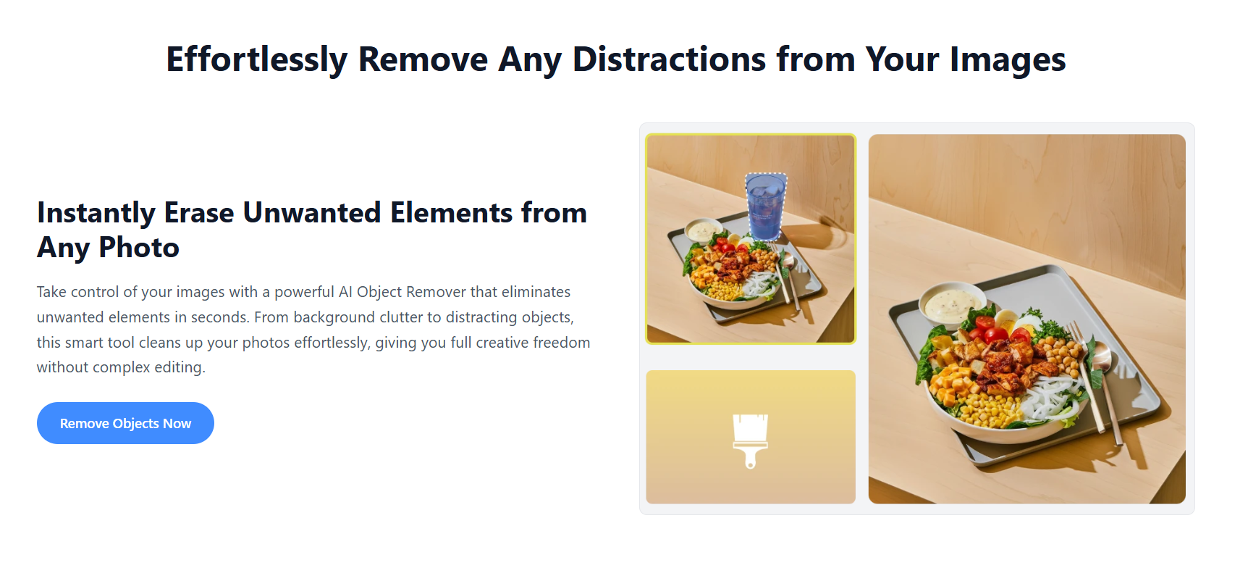
A Free AI Object Remover gives users access to advanced editing without requiring specialized knowledge. Most online tools only require uploading an image, selecting the unwanted object, and allowing AI to complete the edit automatically.
This accessibility benefits:
- Small business owners
- Online sellers
- Students
- Content creators
- Social media managers
- Hobby photographers
Because the editing process is so simple, even first-time users can achieve impressive results.
Better Product Photos for Online Stores
Product images strongly influence purchasing decisions. Customers expect clear, distraction-free photography that highlights the product itself.
An AI image object remover allows online sellers to eliminate unnecessary reflections, packaging materials, background clutter, or accidental objects that appear during product photography.
Instead of scheduling another photo shoot, businesses can improve existing images within minutes.
This saves both time and production costs while creating a more consistent product catalog.
Improving Social Media Content
Social media audiences often notice visual quality immediately.
A distracting background object may seem insignificant during editing, but it can affect the overall appearance of a post.
Removing unnecessary elements helps photographs appear cleaner and more professional. Travel creators can remove crowds, influencers can clean up backgrounds, and brands can prepare polished promotional graphics without complicated editing.
Small adjustments often produce a noticeable improvement in audience engagement because viewers remain focused on the main message.
What Makes a Good AI Object Removal Tool?
Although many platforms offer similar features, their editing quality can vary considerably.
When choosing a Free AI Object Remover, look for tools that provide:
- Natural-looking background reconstruction.
- Fast processing speeds.
- High-resolution image support.
- Easy-to-use editing controls.
- Minimal loss of image quality after editing.
Testing several photos with different levels of complexity is often the best way to compare overall performance.
Simple Habits That Improve Editing Results
AI performs remarkably well, but a few good practices can make the final image even better.
High-resolution images generally produce cleaner edits because the software has more visual information to analyze. Selecting only the unwanted object, rather than large surrounding areas, often leads to more accurate reconstruction.
After editing, it’s also worth reviewing the image carefully to ensure that textures and lighting appear natural.
These small habits help maximize the quality of AI-generated edits.
How AI Is Shaping the Future of Photo Cleanup
Artificial intelligence continues to evolve rapidly, making image editing more intelligent every year. AI image object remover technology is expected to generate even more realistic background reconstruction, understand complex scenes more accurately, and preserve fine textures with greater consistency
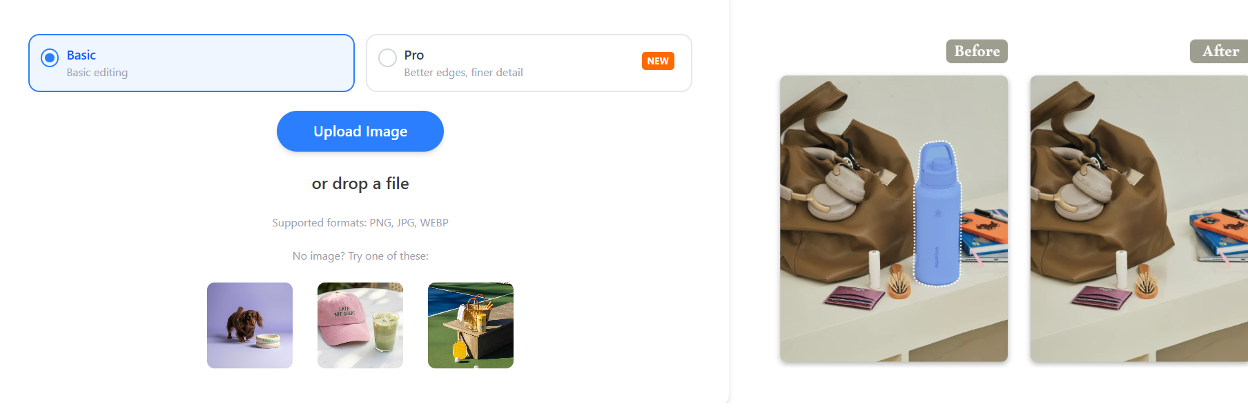
Many editing platforms are also combining object removal with AI-powered image enhancement, background replacement, image expansion, and restoration tools to create complete photo editing workflows. As these technologies mature, professional-quality editing will become even more accessible to users of every skill level.
Conclusion
A Free AI Object Remover has transformed one of the most time-consuming aspects of photo editing into a fast and simple process. By using an advanced AI image object remover, users can eliminate unwanted distractions, improve image quality, and create cleaner visuals without learning complicated editing software.
Whether you’re preparing product photography, enhancing travel memories, building social media content, or improving business visuals, AI-powered object removal offers an efficient solution that combines speed with impressive results. As artificial intelligence continues to improve, removing unwanted objects from photos will become even more accurate, giving creators greater freedom to produce polished images with minimal effort.