
Functional vs Non-Functional Testing: What’s the Real Difference?
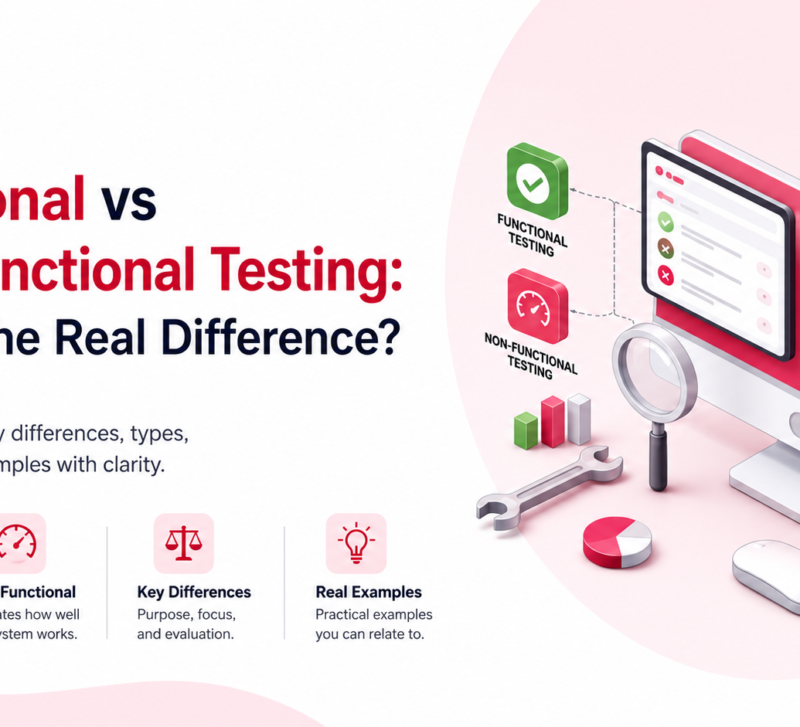
Every bug report starts with the same question. Did the feature break? Or did the experience break?
That one question splits software testing into two halves. Functional testing checks if something works. Non-functional testing checks if it works well.
Skip one, and your app has broken buttons. Skip the other, and your app works fine in a demo, then crashes the moment real users show up.
This guide breaks down Functional and Non Functional Testing in plain language, shows real examples, and explains how AI tools are changing the way teams test today.
What Is Functional Testing?
Functional testing checks whether a feature does what it’s supposed to do.
You give the system an input. You check the output. If it matches what was promised, the test passes. If not, you’ve found a bug.
Think of it as testing the “what.” What happens when you click this button? What does the form do when you leave a field empty? What error shows up when a password is wrong?
Most functional testing is black-box. Testers don’t need to touch the code. They use the app like a normal user and compare what happens against the requirements.
Teams usually run functional tests first. There’s no reason to check speed or scale on a feature that doesn’t even work yet.
What Is Non-Functional Testing?
Non-functional testing checks how well a system performs. Not what it does, but how it does it.
A login form can accept the correct password and still fail here. Maybe it takes eight seconds to respond. Maybe the password shows up in the URL. Maybe someone using a screen reader can’t read the form at all.
This type of testing covers speed, security, usability, and scale. None of it is a simple pass or fail. It shows up as numbers instead: response time, uptime percentage, how many users the server can handle before it slows down.
Non-functional testing usually happens after the feature is stable. You need something that works before you can stress-test it or check it for security holes.
Real-World Examples
Picture a checkout page on an online store. Here’s how the two testing types split the work.
Functional testing checks things like:
- Does the “Add to Cart” button actually add the item?
- Does a discount code apply the correct percentage off?
- Does a confirmation email go out after payment?
- Does an expired card get rejected with the right message?
Non-functional testing checks things like:
- Does checkout finish in under two seconds during a big sale with thousands of shoppers?
- Is the card number encrypted, both in transit and when stored?
- Can someone using only a keyboard and screen reader complete the checkout?
- Does the site survive a 10x traffic spike without crashing?
Same page. Two completely different sets of questions. One proves the feature works. The other proves it holds up under pressure.
Types of Functional Testing
Functional testing isn’t a single activity. It’s a group of test types, each covering a different layer of the app.
- Unit testing: tests one small function or component on its own, usually done by developers before code gets merged.
- Integration testing: checks that separate parts, like a payment service and an inventory system, work together correctly.
- System testing: tests the whole, connected app against every requirement, start to finish.
- Smoke testing: a quick check on the most important paths right after a new build, just to confirm it’s stable enough to test further.
- Sanity testing: a narrow check that one specific fix works, without retesting everything else.
- Regression testing: reruns old test cases after a code change to make sure nothing that used to work is now broken.
- User acceptance testing (UAT): real users try the app in real scenarios before it ships.
- API testing: checks that API endpoints return the right data and status codes, separate from the interface.
Types of Non-Functional Testing
Non-functional testing splits by quality, not by feature. These are the ones most QA teams rely on.
- Performance testing: measures response time and resource use under normal conditions.
- Load testing: simulates expected traffic to see how the system holds up.
- Stress testing: pushes traffic past normal limits on purpose to find the breaking point.
- Security testing: looks for weak points like poor authentication or unencrypted data.
- Usability testing: checks if real people can get things done without confusion.
- Compatibility testing: confirms the app works across browsers, devices, and screen sizes.
- Reliability testing: checks that the system keeps running correctly over long stretches.
- Scalability testing: measures how well the app handles growth in users and data.
A well-known example: Amazon found that a delay of just 100 milliseconds in page load time could cost an estimated $1.6 billion a year in lost sales. That’s what happens when non-functional issues get ignored.
Functional vs Non-Functional Testing: Comparison Table
| Factor | Functional Testing | Non-Functional Testing |
| What it checks | What the system does | How well it does it |
| Based on | Specs and user stories | Quality attributes like speed and security |
| Core question | Does it work as expected? | Does it perform, scale, and stay secure? |
| Result type | Pass or fail | Measured in numbers (ms, %, users) |
| Method | Mostly black-box | Black-box plus specialized tools |
| Timing | Early, every sprint | After core features are stable |
| Who does it | QA testers, developers | Performance engineers, security teams |
| Automation | Mix of manual and automated | Almost always automated |
| Example | Login accepts correct password | Login responds in under 1 second at scale |
Which Comes First: Functional or Non-Functional Testing?
Functional testing almost always goes first. This isn’t a rule for the sake of it. It’s just practical.
There’s no point stress-testing a checkout flow that can’t process payments correctly yet. Fix the function. Then measure the performance.
In fast-moving teams, the line blurs a bit. Functional tests run on every commit, while performance and security checks run on a schedule, maybe nightly or before a release. Both run all the time. Neither one waits around for a formal phase.
The short version: functional correctness is the gate you walk through. Non-functional quality is the bar you clear once you’re inside.
Common Myths About Functional and Non-Functional Testing
“Functional testing matters more because it catches real bugs.” A slow checkout doesn’t get logged as a bug. It gets abandoned instead. Non-functional failures cost revenue just as often. They just don’t show up in a bug tracker.
“Non-functional testing can wait until later.” Security and performance problems found in production cost far more to fix, and by then, users have already felt it.
“Automation only works for functional tests.” Load and performance testing are already almost entirely automated. Manual non-functional testing barely exists at scale anymore.
“QA owns non-functional testing alone.” Security testing usually needs a security engineer. Performance testing usually needs a reliability engineer. Both types benefit from more people in the room.
How AI Is Changing Functional and Non-Functional Testing
Manual test creation can’t keep up with modern release cycles. AI-powered QA tools can generate functional and non-functional test cases from requirements, designs, or user flows, reducing manual effort.
They also improve test maintenance through self-healing capabilities, allowing tests to adapt to minor UI changes instead of breaking. This frees QA teams to spend more time on critical non-functional testing, such as performance, load, and security, rather than constantly fixing automated tests.
Conclusion
Functional and non-functional testing aren’t rivals. They’re two different questions asked about the same feature: does it work, and does it hold up?
Ignore either one, and you’ll find out the hard way, either through a bug report or a support ticket that starts with “the app is so slow.”
Teams that ship reliable software don’t treat this as a one-time checklist. They automate the functional layer so it runs on every commit, and they make real time performance and security checks before every release.
If your team is still writing functional test cases manually every sprint, that’s often the easiest place to improve. AI-powered test automation can eliminate repetitive test creation and maintenance, allowing engineers to focus on testing that truly benefits from human expertise.
FAQs
What is an example of functional and non-functional testing?
Functional: checking that a user can log in with the right password and reach the dashboard. Non-functional: checking that login finishes in under two seconds even with ten thousand people logging in at once.
What are the main types of non-functional testing?
Performance, load, stress, security, usability, compatibility, reliability, and scalability testing. Each one checks a different quality of the app rather than a specific feature.
Does functional testing always happen before non-functional testing?
Almost always, yes. A feature needs to work correctly before it makes sense to test how fast or secure it is. Some teams run both in parallel once the app is stable enough.