
HitPaw VikPea AI Video Enhancer Review: All-in-One AI Solution to Upscale, Restore & Remaster Footage
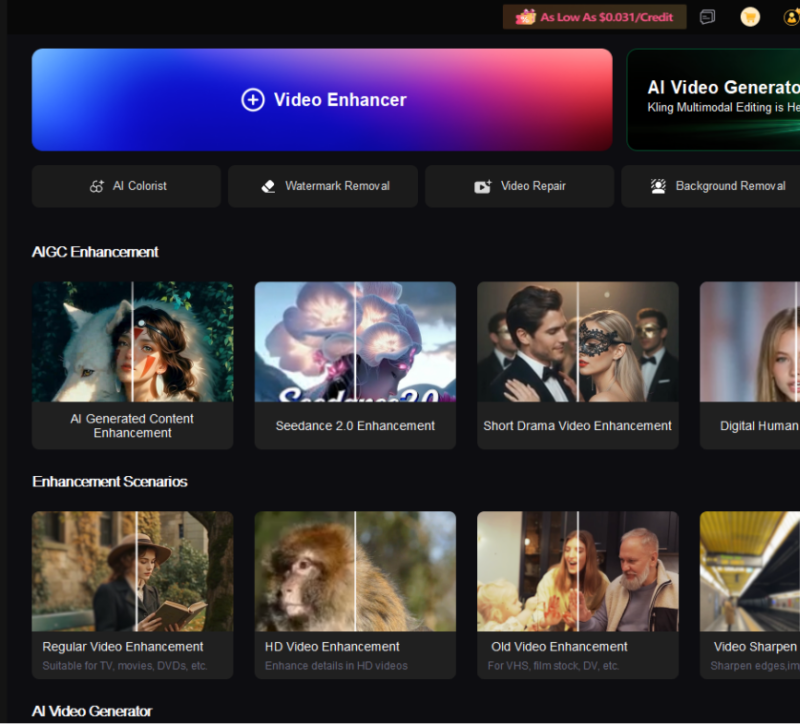
Have you ever struggled with blurry, low-resolution, or old videos that need better clarity and detail? AI video enhancement tools can now automatically restore and improve footage quality with minimal effort. In this HitPaw VikPea review, we will explore its features, real-world performance, ease of use, system compatibility, and pricing to see whether it delivers on its promises.
What Is HitPaw VikPea?
Previously known as HitPaw Video Enhancer, HitPaw VikPea is an AI-powered video enhancement tool that helps users upscale, restore, and improve video quality.HitPaw VikPea is available for both Windows and macOS, supporting Windows 11/10 and macOS systems to provide flexible video enhancement workflows for different users.
Its main features include AI upscaling, video repair, noise reduction, facial restoration, frame interpolation, video stabilization, colorization, and background or watermark removal.
Pros:
- Beginner-friendly interface
- Multiple AI models for different enhancement needs
- Improves blurry and low-quality videos effectively
Cons:
- High-resolution processing can take time
- Some advanced features require paid plans
Complete AI Feature Breakdown of HitPaw VikPea
1. Core AI Video Upscale & Quality Enhancement
HitPaw VikPea’s signature feature is its professional AI video enhancement engine, which offers targeted solutions for blurry, noisy, low-resolution footage. After importing videos, users can pick dedicated AI models according to their video issues for precise one-click optimization.
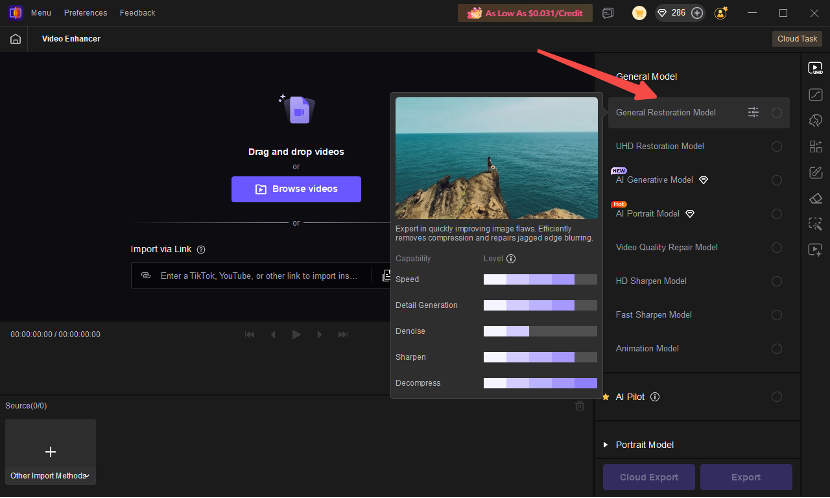
General Restoration Model
Designed for everyday video enhancement, improving overall clarity, sharpness, and lost details in low-quality footage.
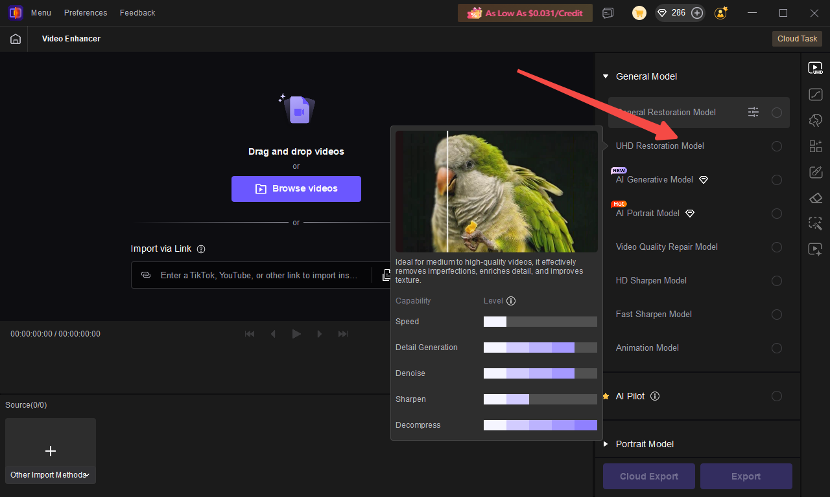
UHD Restoration Model
Optimized for high-resolution enhancement, helping upscale videos to higher quality while preserving more visual details.
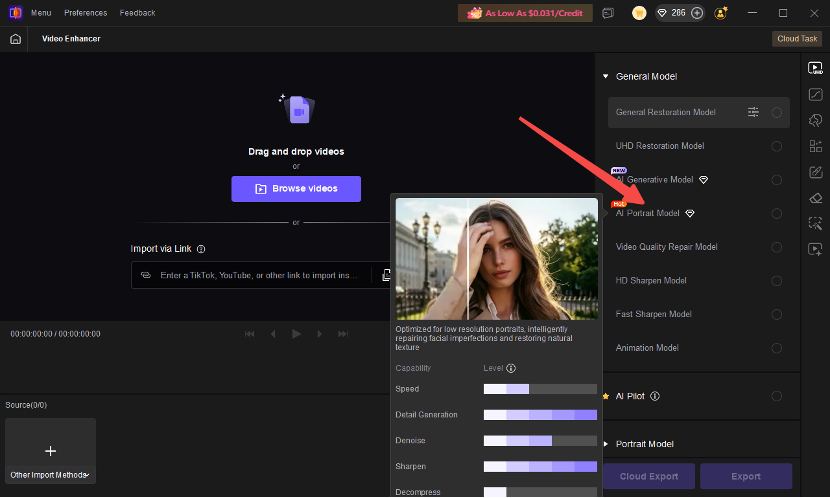
AI Portrait Model
Specially designed for face-focused videos, enhancing facial details, skin texture, and portrait clarity.
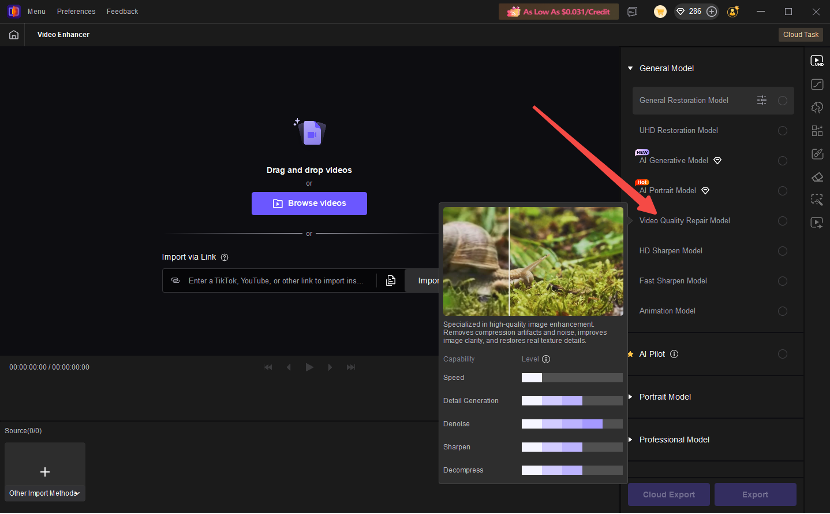
Video Quality Repair Model
Helps restore damaged or degraded footage by reducing blur, noise, and compression artifacts.
Apart from core upscaling and repair models, VikPea also integrates versatile enhancement tools: AI video stabilization, low-light video brightening, SDR-to-HDR conversion, and frame interpolation, allowing users to refine video smoothness, colors, brightness, and dynamic ranges in one place.
Real Testing & 4K Upscaling Performance in HitPaw VikPea
Users can customize output resolution, format, and parameters before one-click exporting enhanced videos.
1. AI Video Enhancement
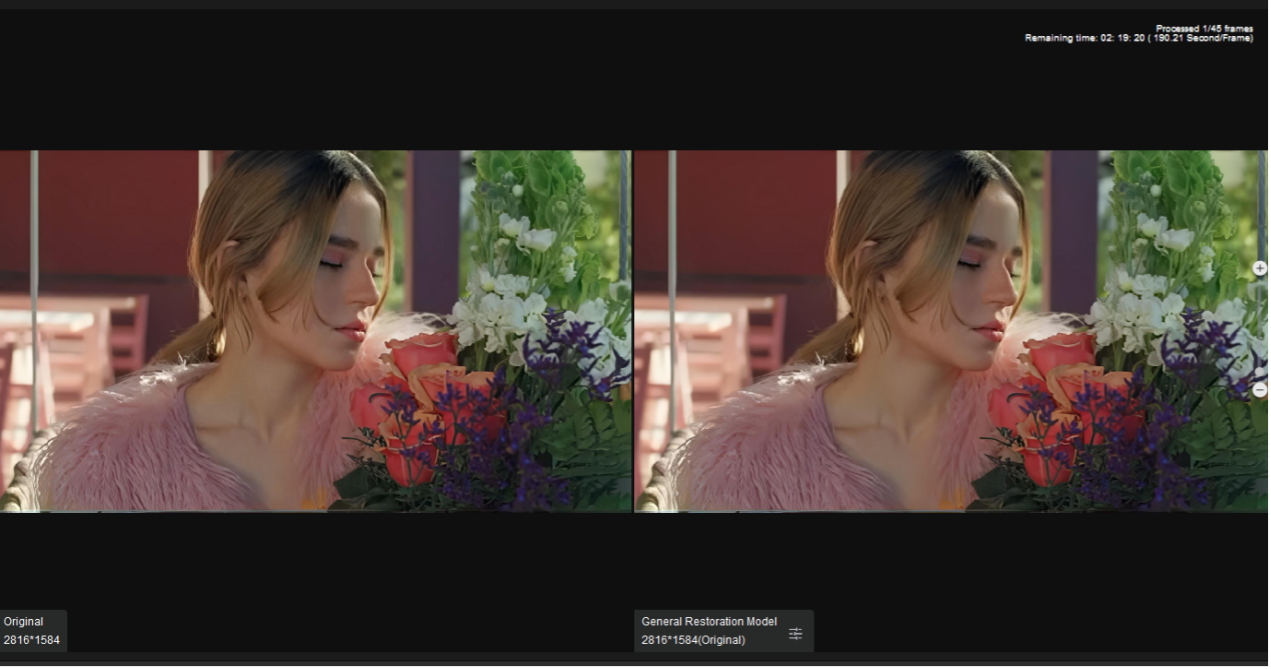
HitPaw VikPea’s AI video enhancement feature improves overall video quality by increasing resolution, sharpening details, reducing noise, and restoring clarity. It automatically analyzes footage and applies AI optimization to enhance blurry, low-quality, or old videos with minimal effort.
2. AI Black-and-White Video Colorization
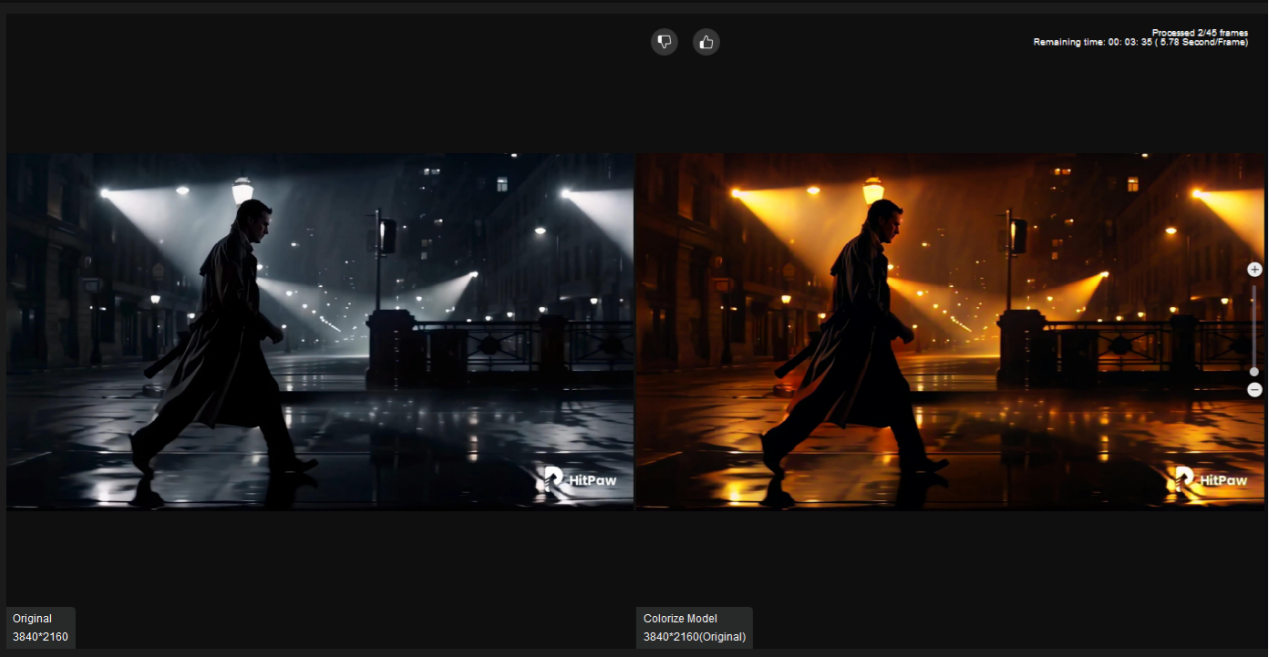
VikPea’s intelligent colorizer adds natural, consistent colors to grayscale videos
frame by frame. It also optimizes overall visual performance via color correction, HDR conversion, and low-light brightening for more vivid footage.
3. AI Background Remover for Video
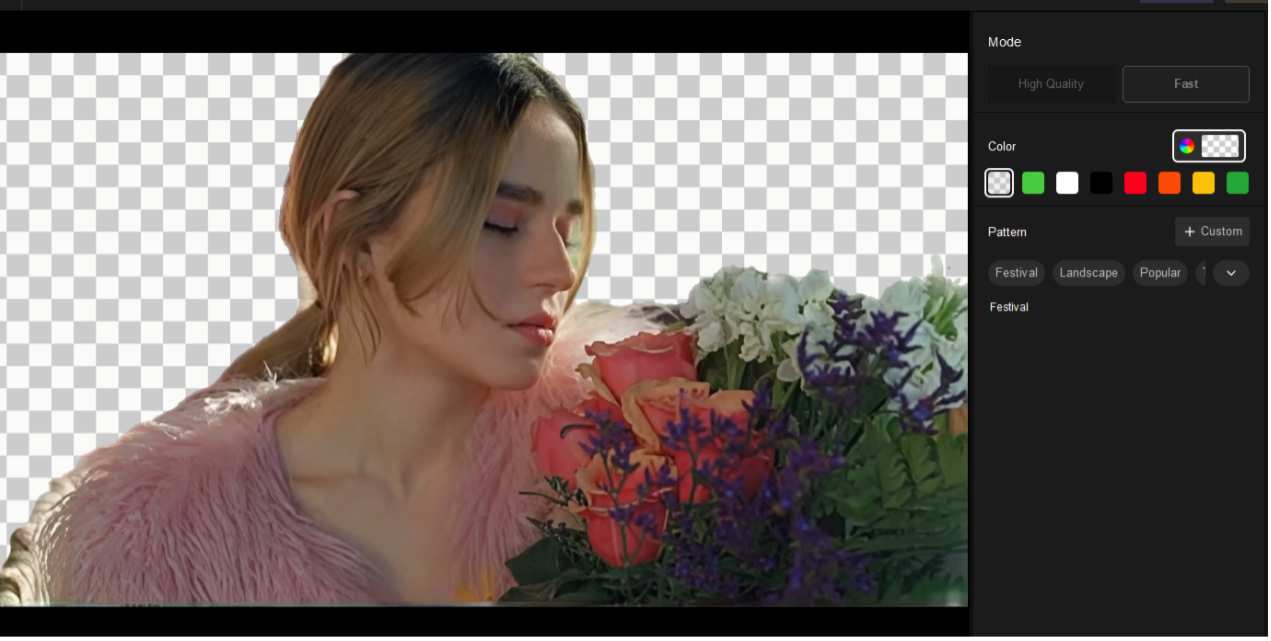
Powered by precise AI segmentation technology, this tool accurately cuts out video subjects and handles fine details like hair and glasses. Users can replace or blur the original background to create clean, studio-level video effects without green screens.
4. AI Watermark & Object Eraser

The AI eraser can seamlessly remove watermarks, logos, text stamps, and unwanted objects from videos. It intelligently fills the processed area with matching textures, ensuring zero blur or unnatural traces after removal.
Step-by-Step Guide to Upscale Videos with HitPaw VikPea
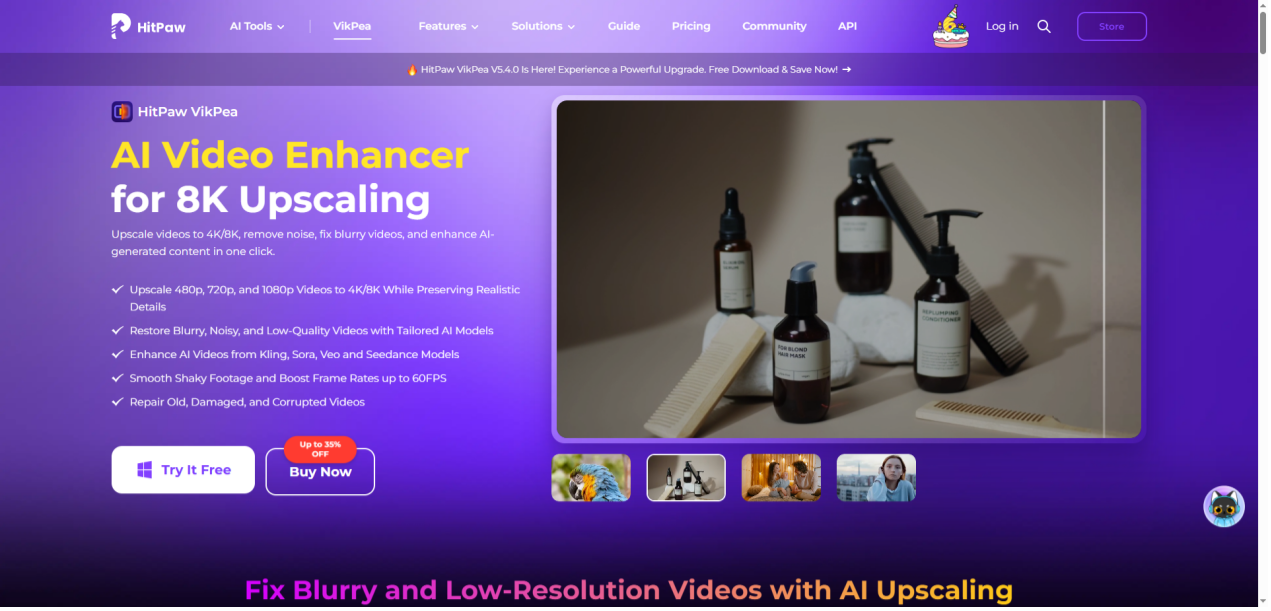
Step1:Download and install HitPaw VikPea on your computer to begin.
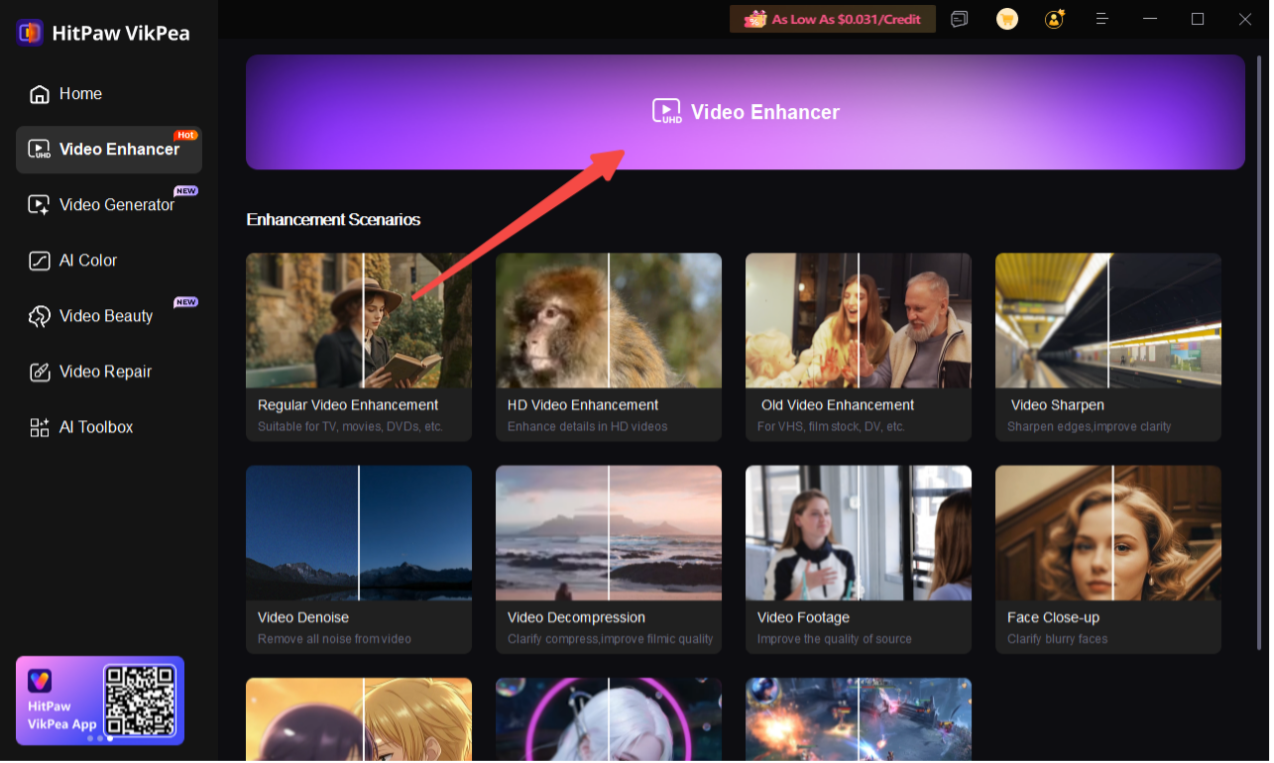
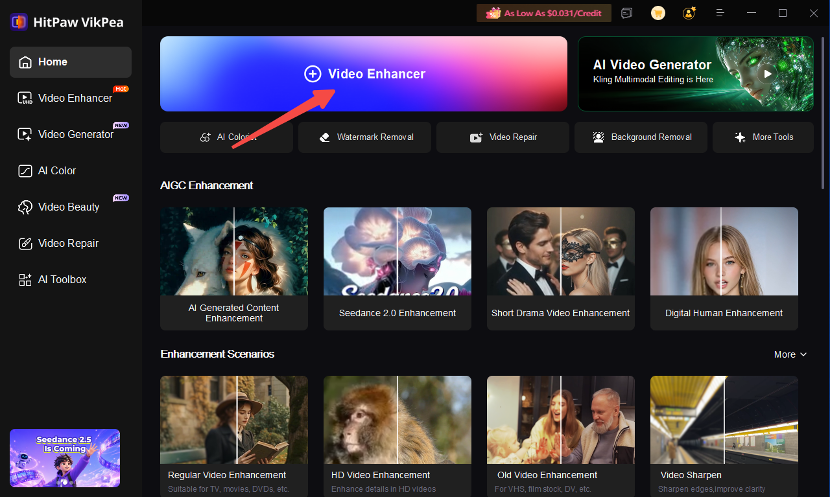
Step 2. Open the software and choose the video enhancer option from the dashboard.
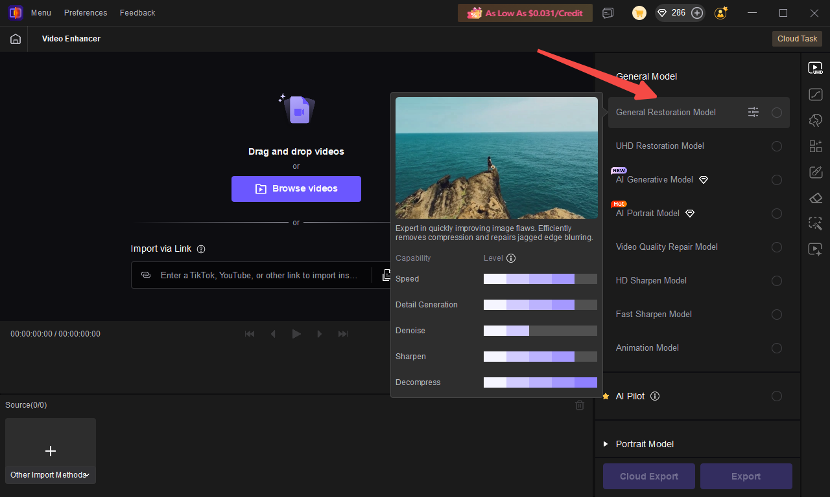
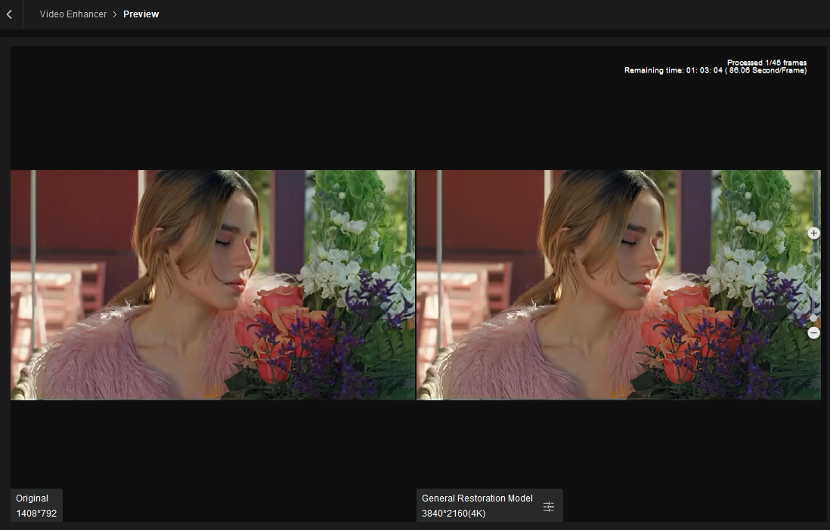
Step3: Select the matching AI model according to your video type: General Restoration Model, UHD Restoration Model or AI Portrait Model
Step4: Set your target output resolution
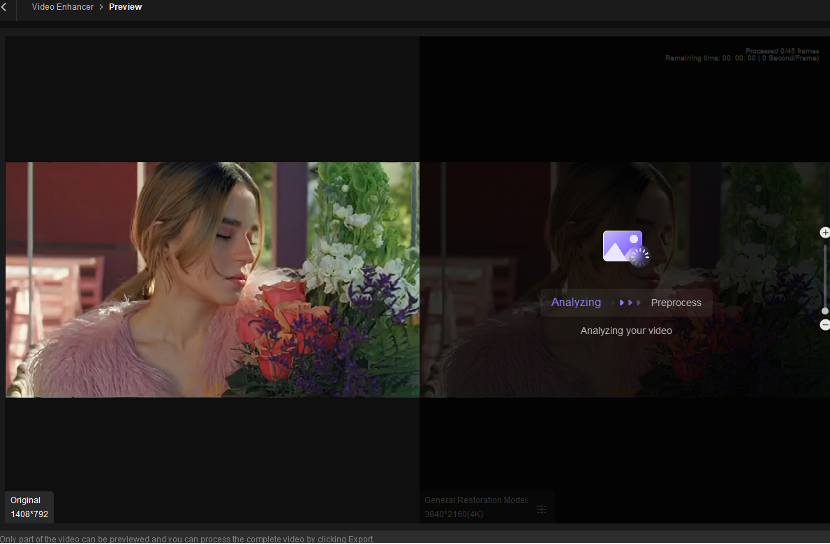
Step5: Preview the enhanced video effect instantly, then hit export to save the HD video on your device.
Pricing Plans for HitPaw VikPea
HitPaw VikPea offers three simple pricing plans to fit different user scenarios, from personal use to professional creation.
| Plan | Price | Best For | Key Features |
| Basic Plan | $124.99/year | Casual users | Includes core AI enhancement features such as video upscaling, noise reduction, and color correction for basic video improvement. |
| Pro Plan (Recommended) | $149.99/year | Content creators | Unlocks advanced AI features, including video repair, watermark/background removal, anime model, and free updates. |
| Lifetime Plan | $499.99 one-time payment | Long-term professional users | Provides permanent access to all features with a one-time purchase, making it suitable for users who need continuous video enhancement. |
FAQs About HitPaw VikPea
1. Is HitPaw VikPea worth it?
HitPaw VikPea is worth considering for users who want an easy way to enhance blurry, low-resolution, or old videos without advanced editing skills. Its AI models can automatically improve details, reduce noise, and restore video quality with minimal manual adjustments.
2. What can HitPaw VikPea do?
HitPaw VikPea can upscale videos, reduce noise, restore faces, repair blurry footage, improve low-light videos, stabilize shaky recordings, enhance colors, and convert old videos into higher-quality versions using AI technology.
3. Does HitPaw VikPea support 4K video enhancement?
Yes. HitPaw VikPea supports high-resolution video enhancement and can upscale low-quality footage to improve clarity, details, and overall visual quality. The final results depend on the original video quality and source resolution.
4. Is HitPaw VikPea easy to use for beginners?
Yes. HitPaw VikPea is designed with a simple workflow. Users only need to import a video, select a suitable AI model, preview the result, and export the enhanced video without requiring professional editing experience.
5. Does HitPaw VikPea work on Mac and Windows?
Yes. HitPaw VikPea supports both Windows and macOS platforms, allowing users to enhance videos on different desktop systems.
Final Conclusion
HitPaw VikPea is a powerful and all-in-one AI video enhancer suitable for both casual users and content creators. It integrates video upscaling, restoration, colorization, and removal tools with an intuitive interface and stable cross-platform performance. With affordable pricing and comprehensive features, it stands as one of the best AI video enhancement tools worth trying in 2026.