
How to Create Professional SaaS Demo Videos with Runway Model on Pollo AI?

SaaS products often involve complex features, technical processes, and user workflows that are not always easy to explain through text. A well-designed demo video can help users understand how a platform works by presenting product functions in a clear visual format.
Creating a professional SaaS demo video requires careful planning, suitable product materials, and a structured production process. From explaining a new feature to supporting customer onboarding, video content has become an important part of SaaS communication.
This guide explains how teams can create SaaS demo videos with Runway model on Pollo AI, covering concept planning, video creation methods, and practical optimization steps.
Why Are SaaS Demo Videos Important for Product Communication?
SaaS platforms often contain multiple features and workflows that require additional explanation. A product demo video can show users how a function works, how different steps are connected, and what problems the software can solve.
Compared with traditional production methods, creating SaaS videos through screen recording, animation, and editing often requires considerable time, especially when teams need different versions for websites, sales presentations, or marketing campaigns.
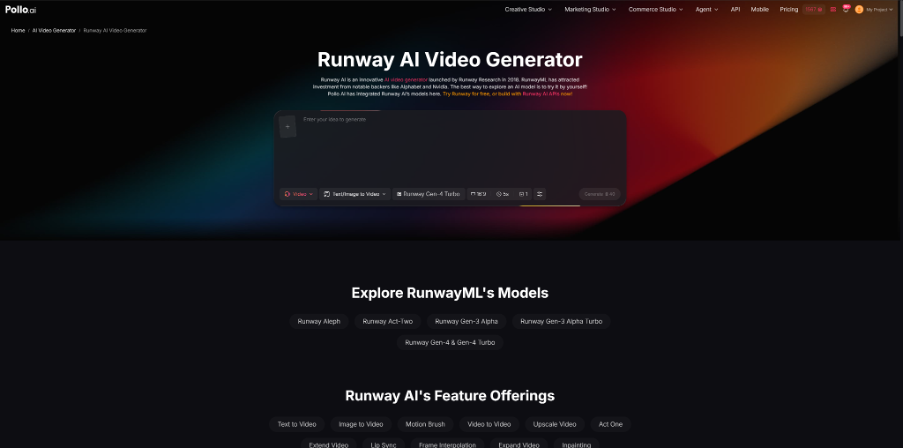
Runway model on Pollo AI provides a workflow that combines Runway video generation capabilities with Pollo AI’s creation platform. Teams can use text descriptions and image references to develop product demonstrations that fit different communication purposes.
For SaaS platforms such as SSOJet, which focuses on authentication and identity solutions, visual demonstrations can make technical workflows such as login processes, integrations, and user access easier to understand.
How Can Teams Prepare a SaaS Demo Video Concept Before Using Runway model on Pollo AI?
Before creating a video with Runway model on Pollo AI, teams should first decide what information the demonstration needs to deliver. As an AI video maker can support different content creation workflows, having a clear concept helps ensure that the video explains the product clearly instead of only presenting attractive visuals.
1. Identify the Main Product Workflow
A SaaS demo video usually works best when it focuses on one specific user scenario. Instead of showing every feature, teams should select the workflow that is most relevant to the target audience.
For example, an authentication platform may demonstrate how users connect an application, complete verification, and access a secure service. A clear workflow allows viewers to understand the product experience step by step.
2. Prepare Product Visual Materials
Before using Runway model on Pollo AI, teams should prepare existing product assets, including interface screenshots, dashboard designs, illustrations, and brand elements.
These materials provide visual references and help keep the generated content aligned with the actual product. They can also be reused for different video purposes, such as feature introductions, onboarding guides, or website demonstrations.
How to Create SaaS Demo Videos Using the Runway model on Pollo AI?
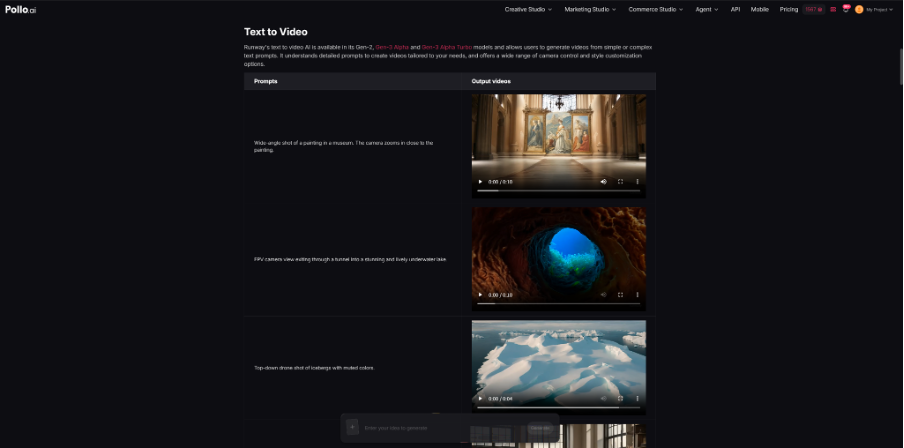
Runway models available through Pollo AI support text-to-video and image-to-video generation methods. These options allow teams to create videos based on either written concepts or existing product visuals.
1. Generate Product Scenes Through Text Prompts
Text prompts allow teams to describe the scene they want to create, including the product environment, user actions, and visual style.
For example, a SaaS company can describe a scene showing a professional workspace, a software dashboard, and a sequence of user interactions. Detailed descriptions help ensure that the generated visuals support the intended product message.
When creating prompts, teams should focus on the purpose of the scene, such as explaining a feature or showing a workflow, rather than adding unnecessary visual details.
2. Transform Product Images into Dynamic Video Content
For teams that already have screenshots or product designs, image-to-video generation provides a way to turn static materials into more engaging demonstrations.
A dashboard screenshot can become part of a feature introduction, while a product interface image can be used to illustrate a user journey. This approach allows companies to maintain a connection with their real product design while adding movement and visual transitions.
3. Adjust Video Style Based on the Communication Goal
Different SaaS videos require different presentation styles. A tutorial video usually focuses on clarity and step-by-step guidance, while a marketing video may emphasize storytelling and brand communication.
Teams can adjust prompts and visual directions according to the purpose of the video. For example, website videos may introduce the overall product experience, while onboarding videos may focus on specific user actions.
What Steps Can Improve SaaS Demo Videos Created with Runway model on Pollo AI?
Generating the first video draft is only one stage of the process. Professional teams still need to review and refine the content to ensure it accurately represents the product.
1. Create Detailed Instructions for Each Scene
Clear instructions help produce more relevant video results. Teams should define the product function, target audience, user actions, and expected outcome before generating each scene.
A feature explanation video and a sales presentation video may describe the same product differently, so the content direction should match the final usage scenario.
2. Divide Complex Demonstrations into Shorter Scenes
SaaS products often include multiple steps, making shorter scenes easier to manage. Breaking a demo into sections allows teams to adjust individual parts without recreating the entire video.
A typical structure may introduce the user challenge, explain the product solution, demonstrate the feature, and summarize the result. This format creates a clearer viewing experience.
3. Review Visual Accuracy Before Publishing
Before publishing a SaaS demo video, teams should check whether the generated content matches the product concept, whether the visual flow supports the explanation, and whether the style fits the brand.
For software products, accuracy is especially important because users rely on demo videos to understand how the platform works.
Why Choose Runway model on Pollo AI for SaaS Demo Videos?
SaaS teams often need different types of videos throughout the customer journey, including product introductions, feature demonstrations, onboarding materials, and sales content. A suitable video creation solution should provide flexibility while keeping the product message clear.
Runway model on Pollo AI supports both text-to-video and image-to-video workflows, allowing teams to create videos from descriptions or adapt existing product visuals. This makes it suitable for companies that need to develop new concepts while also working with existing design resources.
Another practical advantage is that Pollo AI brings multiple creative models together in one platform. For teams producing different types of marketing or product content, this provides more options when testing visual styles and selecting suitable approaches for different channels.
For SaaS businesses, this flexibility helps match video content with specific communication needs. A landing page video may focus on introducing the product, while a customer education video may explain detailed workflows. Runway model on Pollo AI allows teams to create demonstrations based on these different objectives.
Conclusion
Professional SaaS demo videos require more than visual effects. They need a clear structure, accurate product information, and a format that matches the audience’s needs.
With Runway model on Pollo AI, SaaS teams can combine product references, text descriptions, and video generation methods to create content for marketing, onboarding, and product education. By planning each scene carefully and reviewing the final output, teams can produce demonstrations that communicate product value more effectively.