
No Paywalls, No Stress: Your Guide to Free PDF Merging
I use free PDF merging applications daily – whether I’m compiling reports, assembling scanned notes, or consolidating contracts. And if you’ve ever attempted to join several files without the proper application, you know how sloppy and aggravating it can become.
That’s precisely why I depend upon these solutions. They eliminate costly subscriptions and clunky software downloads, enabling me to merge PDF files online in minutes – no paywalls, no undisclosed limitations, just a seamless process from start to finish.
In this guide, I’ll walk you through the process of how free PDF merging actually works, compare some of the best popular tools side by side, and let you decide which one should be part of your workflow.
Why Free PDF Merging Matters?
Digital files are supposed to streamline processes, but fragmented documents tend to have the opposite impact. A presentation divided into several slides, contracts separated over multiple scans, or lecture notes in individual PDFs can get out of control and become hard to work with almost instantly.
An effective free PDF merger solves this issue on the spot:
- Keeps things tidy – connected documents are gathered into one well-structured, easy-to-read file.
- Saves time – both the sender and receiver save time looking, opening, or printing multiple documents.
- Makes it easier to use – combined files are easier to share, store, and deliver without getting mixed up.
The actual benefit is ease of access. You don’t have to pay for expensive subscriptions or need complex software – many tools allow you to combine PDF files online for free, with no restrictions, in a few clicks.
How We Tested the Tools
We gave all tools the same test:
- File Type: Scanned PDF documents, text, and image report presentations with image records.
- File Sizes: Small doc less than 5MB, Medium file holds between 25-30MB, while the large one has more than 100-300 pages.
- Device: testing on desktop (Windows laptop) and mobile (Android phone) to see usage across devices.
- Activities: Uploading, reordering pages, combining, and downloading the completed
- Speed & Limits: Monitored the time it took each tool to merge, and where free-plan limits came in.
This repeated testing method gave an accurate picture of how the platforms handle the workload in real-world conditions, rather than optimized situations.
How Free PDF Merging Works?
Technically, PDF combining is a simple task:
- Upload the files that you wish to combine from your computer, cloud drive, or even from attachments in the email directly.
- Reorder the image thumbnails in sequence by the drag-and-drop feature.
- Hit “Merge” and allow the tool to work on your documents.
- Save or share the resultant final PDF after downloading.
The gist of it. Not every tool treats it the same way, though. The variance usually hinges on speed, daily task limits, or file sizes, and privacy measures. Some platforms, for example, provide unlimited free merges, while others limit you to a specific number of tasks per day or to a maximum file size you can upload.
Keeping that in mind, we tried out some of the most trustworthy free options currently available to discover which really do provide a seamless, no-hassle experience.
The Best Free PDF Merging Tools (Tested & Compared)
To spare you hours of trial and error, we pitted five of the top PDF merging tools against real-world tests. We tested each for speed, free plan limitations, ease of use, and performance. Here’s what we discovered:
iLovePDF 2
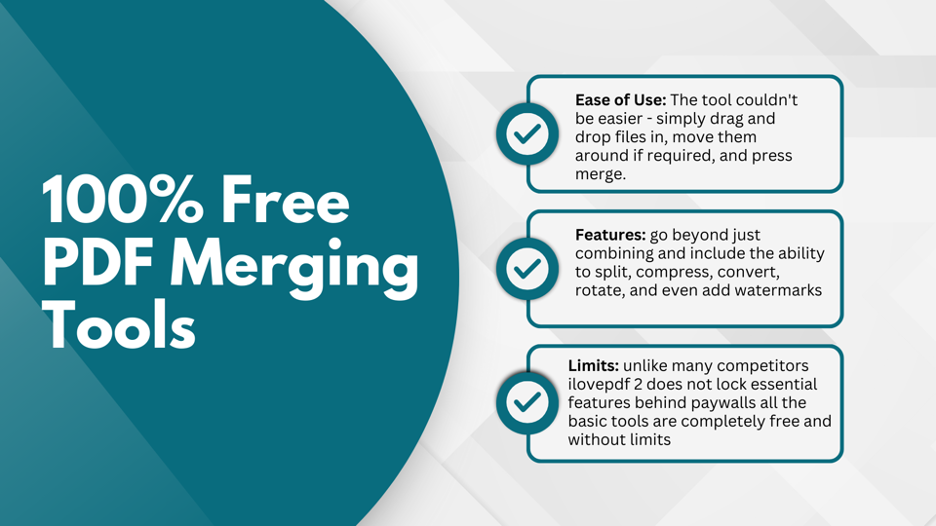
- Ease of Use: The tool couldn’t be easier – simply drag and drop files in, move them around if required, and press merge.
- Features: Far exceeds combining with abilities to split, compress, convert, rotate, and even include watermarks.
- Limits: In contrast to the majority of competitors, iLovePDF 2 does not reserve crucial features behind paywalls. All basic tools are truly free and unlimited.
- Performance: Merges, even with big files, were prompt and seamless. The feature to reorder PDFs before finalizing is a welcome bonus.
- Special Advantage: One of the only browser-exclusive tools that is also both a mobile app (iOS and Android) and a desktop application.
- Verdict: Extremely generous and accommodating platform – great for professionals, students, and anyone with regular PDF work to perform.
SmallPDF
- Ease of Use: Created with a clean, modern design that’s intuitive from the beginning.
- Features: Includes merging, compressing, conversion, OCR, and e-signatures – with a broad set of tools.
- Performance: Merges are extremely swift and seamless, but daily limits become a deal-breaker for heavy users.
- Limits: The free tier maxes out at 1-2 merges per day, which is limiting for repeated merges.
- Unique Advantage: If any bit fancy-dancy holds for a casual user using scanned PDFs, it is on the grounds of its contemporary GUI and OCR features.
- Verdict: Great choice for intermittent use, but not designed for high-volume document processing.
Sejda
- Ease of Use: Very user-friendly, with easy instructions that walk you through the process.
- Features: Provides not only merging but also editing, compressing, form filling, and more – both offline and online.
- Distinctive Advantage: Offers a desktop client for offline use – ideal for sensitive documents when privacy is of issue.
- Limits: Free plan can do 3 tasks per hour, with files capped at 200 pages or 50 MB. This can clog workflows for bigger projects.
- Performance: Overall smooth, but noticeably slower when handling larger documents.
- Verdict: Ideal for light, managed use where offline convenience is paramount.
PDF Candy
- User-Friendliness: Easy and intuitive, with several upload options including cloud storage.
- Functions: Merge, convert, compress, unlock, and rotate PDFs in an uncluttered interface.
- Unique Benefit: A handy option for PDF tweaking on the go without setting up an account.
- Limits: Not worth it for bulk work, the free version has page limits and file-size restrictions.
- Performance: Fast with small and medium files, but painfully slow for larger or complicated documents.
- Verdict: Suitable for casual use, but the limitations make it unreliable for heavy-duty work.
Adobe Acrobat Online
- Ease of Use: Comfortable Adobe interface that is refined and professional.
- Features: Offers merging, converting, compressing, and e-signing – all integrated into Adobe’s wider ecosystem.
- Unique Benefit: Brand equity and effortless integration with other Adobe products like Acrobat Pro and Creative Cloud.
- Limits: The Free plan is highly limited, only allowing small files. Most of the most advanced features quickly drive you to a paid plan.
- Performance: It has attribution, though it sometimes feels slower on uploading in comparison to leaner browser alternatives.
- Verdict: Reliable on an occasional basis, but not worth the hassle unless you are subscribing.
Comparison Snapshot
| Tool | Free Limitations | Speed | Best For | Overall Rating (Free) |
| ILovePDF 2 | Unlimited free tools | Fast | Students, professionals, all | ⭐⭐⭐⭐⭐ |
| Smallpdf | 1-2 tasks/day | Very Fast | Occasional users | ⭐⭐⭐⭐ |
| Sejda | 3 tasks/hour; 200 pages/50 MB | Good | Casual + offline users | ⭐⭐⭐⭐ |
| PDF Candy | File size & page restrictions | Good | Light document handling | ⭐⭐⭐ |
| Adobe Acrobat | Small file support only | Moderate | Brand-trusting professionals | ⭐⭐⭐ |
Why Opt for Free PDF Tools Over Paid Options
Paid applications such as Adobe Acrobat are full of advanced features – batch OCR scanning, enterprise eSign workflows, and deep editing capabilities. For large businesses, law firms, or groups dealing with sensitive compliance-laden documents, those additions will be worth the cost.
But here’s the truth: most users don’t require that degree of sophistication. Students, small business users, freelancers, and casual users essentially want just one thing – to merge, split, or arrange PDFs with ease and without hassle. And to address those requirements, free software not only competes with but also surpasses paid alternatives.
Here’s why:
- No Cost Barrier: Free PDF solutions allow you to combine or edit documents without paying subscription fees. Over time, that saves individuals and businesses hundreds of dollars annually.
- No Hidden Paywalls: Many so-called “free” tools only unlock limited access before prompting upgrades. By contrast, platforms like ILovePDF 2 provide unlimited merging without restrictions, ensuring the process stays truly free.
- Rapid Processing: Free web-based software processes uploads and merges in seconds. Unless you’re handling extremely large files, their speed is equal to (and often beats) that of commercial software.
- Device Compatibility: Free PDF sites are online and will usually have mobile or desktop applications, so you can combine files from a laptop, phone, or tablet without needing to install bulk software.
- Ease of Use: Commercial suites like Acrobat have steep learning curves. Free alternatives aim for minimal clicks and straightforward drag-and-drop support – a huge benefit for those who simply want results.
In short, free PDF websites strike the golden balance between speed, simplicity, and reliability. They provide what everyday users need most – speed at no additional expense or hassle.
Final Take
Managing digital documents shouldn’t be paired with unexpected charges or infuriating limitations. With the proper Free PDF merging software, you can correlate disjointed files, simplify collaboration, and have everything you need in one location.
From students compiling coursework to professionals handling contracts or teams preparing reports, free platforms like iLovePDF2 provides reliable results without added cost. They’re pretty quick and secure, so you can use them from any device – ideal for the occasional user and for file merging every day.
Give it a try and watch the magic of how easy and stress-free merging is.