
How AI Texture Tool Technology Is Transforming Digital Art and Design
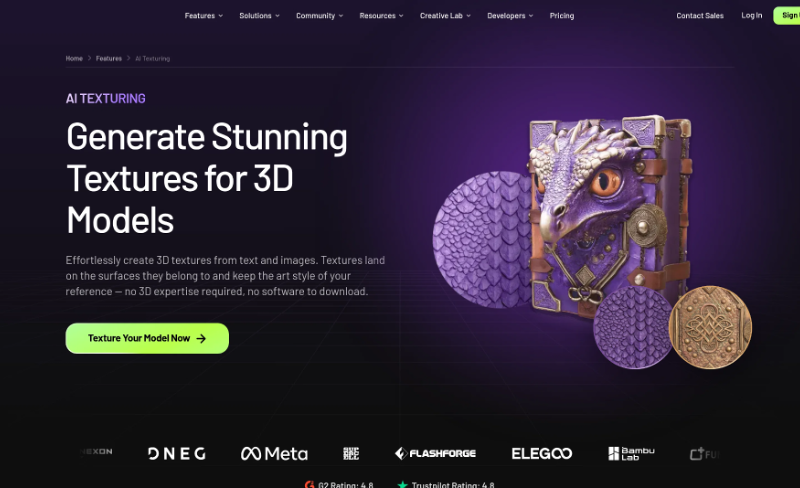
Digital artists and designers will spend many hours developing realistic surfaces to create digital objects. The materials used (wood, metal, stone, and fabric) demand attention to detail. But as AI increasingly enters the fray, it’s now helping creators to create their textures in a quicker manner, and also to experiment with new artistic styles. These abilities enable artists to create digital objects from their ideas without having to manually complete each step. In the realm of game production, product visualization, and beyond, AI texturing is emerging as a valuable tool in today’s creative landscape.
Understanding AI Texture Tool Technology
AI Texture tool can help streamline parts of this process by providing a preliminary design that artists can build on to create their final work. A designer designing a wooden chair could use the grain pattern of wood and let the computer do the work of painting all of the details of the pattern. The designer can then tweak the material to their project’s image.
The impact of AI Texturing on Digital Art
Digital artists should be flexible with their experimentation with new ideas.
Exploring Creative Styles
AI texturing for fantasy objects, digital sculpture, characters, and decorative items can be used by artists to texture surfaces. A stone object can be a relic of ancient times, and a simple metal model can be given a shimmering or matte finish. This flexibility helps to promote experimentation. Artists will try out multiple visual directions and will choose the direction that is most suitable for their project.
Improving Visual Consistency
The number of objects in digital projects that must be presented in a coherent way, can be large. AI texturing can assist artists in creating more assets with materials that are related. The same colours or finishes may be used in a group of ceramic decorations in different shapes, for instance. It is important for artists to still go over the results to make sure that the textures are in scale, colour and detail.
The significance of Meshy in the field of AI 3D Design
Meshy is among the prominent 3D model generators based on AI. It offers the following features: text to 3D generation, image to 3D generation, AI texturing, and automatic rigging. These abilities enable creators to build digital property for various design processes. Users can type a description of an object and generate a 3D model of it with text to 3D generation. If you’re feeling like you need to begin with visual references, you can have someone image to 3D. Meshy will also accept multiple image inputs to allow for additional information about an object’s appearance to be obtained from different angles.
How to make 3D Models with a Textured look
Suppose a designer is working on designing a lamp to present a product. The designer might create a first concept with a description or picture, and then look at the different materials like brushed metal, painted wood or ceramic. AI texturing can be used to create the surface appearance without having to manually create all the details. The designer can then check the model, make changes to the model, and export it to the target application.
Real-world applications of AI Texture Tools
Product Design
3D models are used by product designers to help visualize the ideas before the product is produced. Surface materials enable clients to see how a product may turn out once it has been completed. Some examples are a designer designing a reusable bottle and looking at the difference between matte plastic, polished metal, and textured finishes. These variations allow for easier pre-discussions of design options prior to selecting a design appearance.
Animations and Digital Marketing
Textures are used by animation teams to create more believable characters, props, and environments. Using AI, you can generate starting points for background characters and props. Marketing designers can also try out various finishes with regards to the appearance of products, social media graphics and promotional presentations. Final materials can then be tested for a variety of lighting to verify the appropriateness.
How to Use an AI Texture Tool
There’s a simple method that designers can use for building more realistic models that feature textures.
Step 1: Make your model
Use an appropriate 3-D model. It can be built manually or created with the help of Meshy, which is able to construct a model based on a text or image.
Step 2: Add Textures to the design
Determine a realistic, artistic, polished or weathered look of the object. Lots of descriptive writing to guide the process of texturing.
Step 3: Generate and review
Utilize any AI texturing options to produce the surface. Turn the model around and look for any undesired patterns, stretched details or colour inconsistencies.
In this step, you will be able to export your finished asset
Meshy can import STL, OBJ, GLB and FBX files. The formats are suitable for various workflows such as 3D printing, digital modelling and game development.
The advantages and disadvantages of AI Texturing
It can also serve as a tool for more advanced artists to help them form their ideas and to consider the various materials available. But, AI doesn’t always create the perfect results. Textures can have visual errors and/or mismatch the geometry. Manual UV mapping, material and surface details adjustments may be needed for professional projects.The most effective results are when AI is used in conjunction with human judgment. Each asset should be examined by the designers to be assured of the project’s quality requirements.
FAQS
Are AI Texture Tools beginner-friendly?
Yes. These tools make some of the texturing process easier, and allow for some experimentation with digital texturing without a lot of technical skill.
What is Meshy and How Does Meshy Help Digital Artists?
Meshy provides text to 3D generation, image to 3D generation, AI texturing and automatic rigging. It also offers API and browser based access to the developers.
Can AI Texturing help with game development?
Yes. AI texturing can be used by developers to generate basic material for characters, props, and environments.AI texturing can generate basic material for characters, props, and environment for developers. All the assets need to be tested for quality and compatibility with the game engine.
Conclusion
AI texture technology is revolutionizing digital art and design by simplifying and customizing the process of creating textures.The introduction of AI technology has revolutionized texture creation, making it more accessible and versatile in the world of digital art and design. It enables artists to discover new styles, enhance digital models, and minimize repetitive tasks in artistic endeavors. Meshy’s AI texturing to text and AI image to 3D generation features facilitate creators in creating assets for various purposes. With these features and careful editing and quality checks, designers can create detailed digital work while allowing them creative control.