
Guest Post: Turn a Written Story Into AI Video Scenes Without Losing the Plot
You already have the story—maybe a rescue arc, a product fable, or a customer hero journey. The hard part has never been typing; it is keeping tone, faces, and pacing coherent when AI fills in the gaps between beats.
This article lays out a production loop: break the script into labeled scenes, choose when to anchor visuals with a reference frame, generate short clips, then merge. When you are ready to execute in-browser, open insMind’s picture-to-motion workflow.
How Story-First AI Video Actually Works
Think in loops: write beats → generate clips → review drift → tighten prompts. Readers hunting an AI story video generator usually want continuity more than fireworks.
Translate a Story Into Shootable Scenes
Pick runtime first. A thirty-second emotional arc might need six five-second scenes instead of one long generation that smears detail.
Each beat becomes a scene card: subject, action, lens, emotional color, and handoff to the next scene.
Scene Discipline Before You Press Generate
If Scene 2 introduces rain, Scene 3 should not silently revert to harsh sun unless you narrate the change. For messy plates, AI background cleanup or background replacement can simplify props before motion.
How to Create Story Videos with insMind
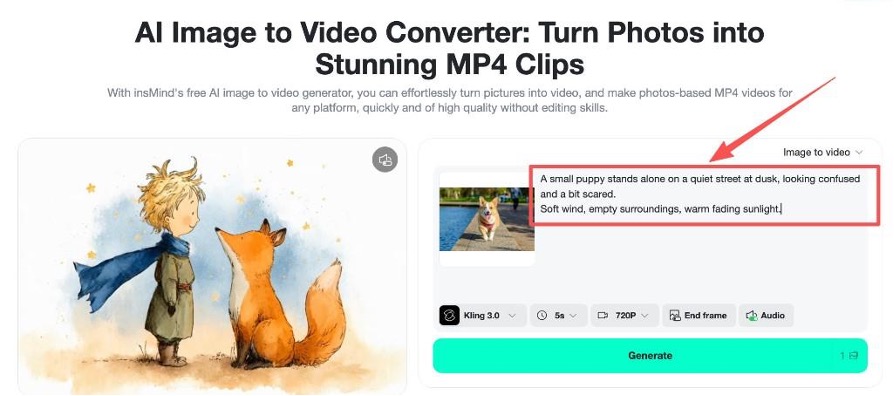
Step 1: Enter your story script by Scene
Open image-to-video, paste one scene per prompt, and label transitions explicitly.
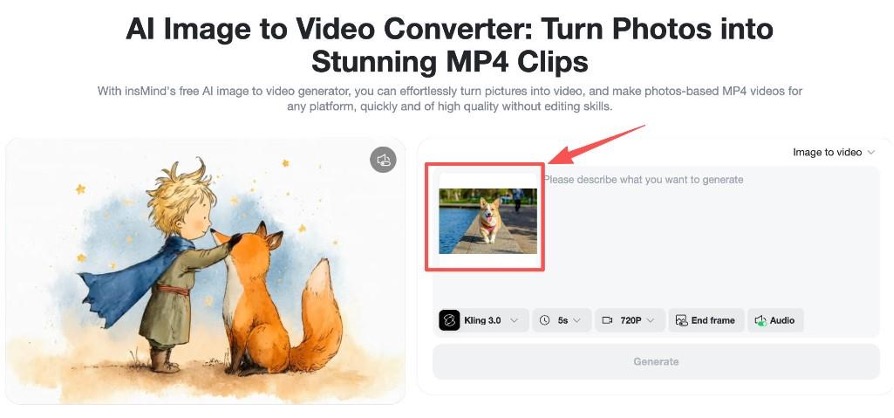
Step 2: Upload a reference photo (optional)
When a character or mascot must stay on-model, upload the same approved reference for every related scene.
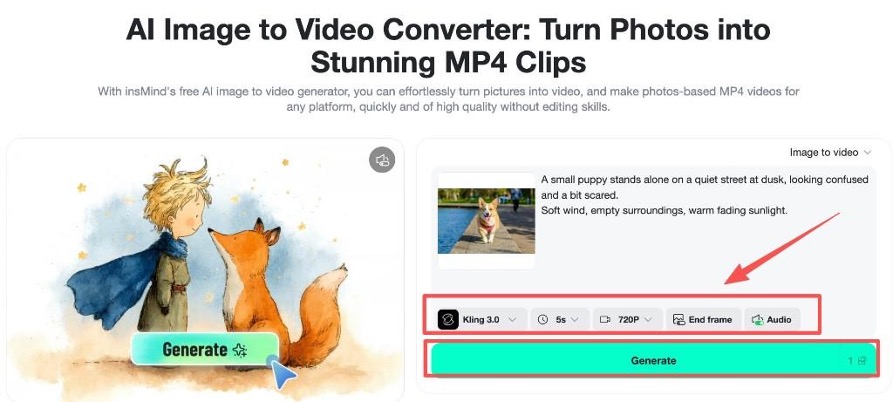
Step 3: Adjust settings and generate
Pick model and duration per scene—five seconds is a reliable default for social, ten when you need breathing room for dialogue.
Step 4: Download your clips
Download each render with scene numbers in the filename so editors—or future you—can assemble without guessing order.
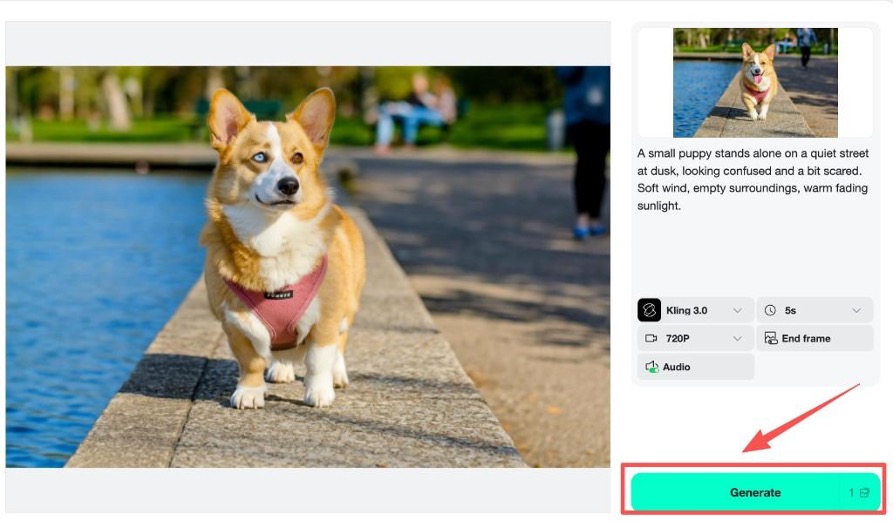
Example Prompt: Seven-Scene Puppy Arc
Scene 1: wide shelter aisle, nervous puppy, soft fluorescent hum… (continue through Scene 7 reunion). Keep lighting vocabulary consistent.
Stay Cohesive Across Generations
Reuse reference art, repeat distinctive wardrobe language, and avoid introducing new props mid-arc. For stylized boards, try a photo-to-cartoon pass before animating if it helps your team align visually.
Animated Story Videos Without Glitches
Reduce simultaneous actions, keep hands in frame, and prefer locked tripods when faces are close—micro-jitter reads as mistakes faster than imperfect fur.
Frequently Asked Questions
Is there a free online AI story video maker for drafts?
Most suites offer trial credits; insMind’s browser workflow is built for rapid draft loops before you commit to a polish pass.
Do I need different prompts for every scene?
Yes—single mega-prompts tend to collapse beats. Scene cards keep the model honest.
What if my character drifts?
Reattach the same reference image and tighten physical descriptors that identify the character.
How long should each scene be?
Five to eight seconds for social; longer only when dialogue requires it.
Does this replace a full video editor?
No—think of AI as principal photography and your editor as the finishing room for music, captions, and pacing.
Convert Your Script to Video This Week
Ship one vertical proof-of-concept: three scenes, one character, one emotional payoff. Momentum beats perfection on the first pass.