
How To Move A Type Card With Seedance API

Foundry reels keep a specimen honest when the letters are already on the card and the camera is the only new instruction. Draw Hamburgefonts in the face you mean to show, host that still where a public URL can fetch it, and ask for an orbit around the image. APIPod accepts the reference call, reviews a plain public URL on the discount reference route, and returns the moving file as a later result rather than as a synchronous download. The hard part of a type card in motion is holding the shapes while the frame turns. That is the work this route takes on: the letters stay the ones you drew, and the generation supplies the move.
Designers set the proof string on the card before any prompt mentions motion. The read afterwards is visual and narrow, and it confirms the route did the job it was given. The word is still Hamburgefonts, the counters are still open, and a viewer can still read the line after the orbit. When a counter fills or a terminal grows a spur, the still goes back to the drawing board and the next call spends itself on a corrected card. The first call is reserved for a specimen you already trust, because the route is there to move that specimen, not to invent a new alphabet in the prompt.
Draw Hamburgefonts On The Card Before Motion
Hamburgefonts is the string to draw, because a type proof has to show enough repeating shapes to catch a drift in a counter, a join, or a terminal. Put it on the specimen as real artwork: the weight, the contrast, and the spacing you intend to defend in the reel. The reference job on this model is identity and product appearance, and a type card is a product in that sense. The prompt’s job is the camera. The letters are already on the still, which is why a later frame can keep them while the viewpoint changes. One image is enough for a single weight, and it should be the sharpest export you can put on a public URL.
Set The Proof String In The Face You Show
Set the word in the face you are showing, at a size a viewer can still read after the frame moves. Export a still the asset service can fetch as a public URL. On the discount reference route, plain public URLs are reviewed and exchanged for approved asset references before the generation is submitted. You host the card where that review can reach it, and you spend the call only after the still looks like the proof you would print. If the export is soft, later frames stay soft, so contrast and size are fixed on the card. APIPod’s review step is what lets a public specimen travel with the prompt as an approved reference, which is how the orbit inherits the face you set instead of guessing one from adjectives.
Leave Space So The Last Letter Stays Visible
Leave space around the word so an orbit does not crop the last letter on the first degree of rotation. High contrast against the card ground matters more than a textured backdrop, because you will read the moving frame against the still you sent. If a bold or an italic needs its own sheet, add that image as another reference rather than describing the second weight in the prompt. The cap is 30 images. Most specimen reels use one or two, and the remaining slots are there when a family release needs them. A first proof that only has to turn one roman should spend one image and keep the margin, so the camera has room to move while Hamburgefonts stays inside the frame from the first moment of the turn.
How The Reference Route Carries That Still
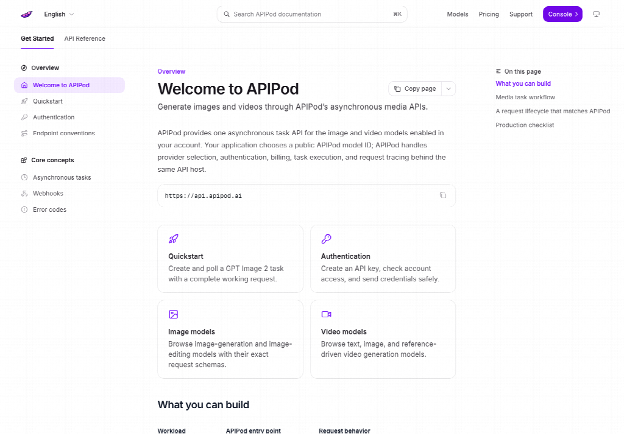
The call is a video generation, and the card rides along as a reference rather than as a font file someone uploads into a foundry tool. APIPod expects the model field to name the reference route when the card has to travel with the prompt. On the discount tier that id is seedance-2.5-r2v. The task is asynchronous. You receive a task id, then you poll until the status is completed or failed. The quick start body carries model, prompt, duration, resolution, aspect ratio, and an audio flag, and its sample frame is 16:9. A specimen reel can use that wide frame and keep the card inside it, with the proof string sitting where the orbit can circle without shoving the last letters into the edge.
Name An Orbit And Keep The Word In Frame
Point the prompt at the card and name one camera move. An orbit suits a proof, because the letters can stay in view while the camera does the travelling. Whip pans, speed ramps, handheld tracking, and invisible-cut staging are other moves you can name when a longer reel needs them. For the specimen, ask the orbit to keep the word in frame. Discount routes accept a clip of 4 to 30 seconds and default to 4 seconds, enough for a short turn and still inside the window for a slower circle. Duration is a delivery choice on the same model id. The proof string stays Hamburgefonts when the seconds change.
Use 720P For A Letter Check And 1080P To Publish
Resolution on this route can be 480P, 720P, or 1080P. A letter check can stay at 720P, where you confirm that Hamburgefonts held through the turn and that the margin you left was enough. Move to 1080P on the same model id when the reel is the file you will publish, without redrawing the word and without changing the prompt’s only real instruction, which is the camera. That pair is a small menu on one route: a lighter frame to confirm the letters, a fuller frame for the public reel. The alphabet stays the one on the card. The route changes the delivery, so a foundry can approve the motion once and then raise the frame for the post.
- Draw Hamburgefonts on the specimen and publish the still at a public URL.
- Create a key in the console if you do not already have one, then submit the generation with model seedance-2.5-r2v, the image, a prompt that names the orbit, a duration from 4 to 30 seconds, aspect ratio 16:9, and generate_audio set to false.
- Poll the video status for that task id until the status is completed or failed.
- Read the output URL from the result only after completed, and read the moving word against the card.
Poll The Task Id Until The Moving File Returns
The video call is asynchronous, so the response you get at once is a task id, and the moving card arrives later. Pending and processing mean the route is still working on the orbit. Stop the loop on completed or failed, and open the output only after completed. A callback can replace the poll and still leave the letter read to a person, because a callback can announce the finish and cannot judge a terminal. The Seedance API returns the file when the task completes, and that file is the orbit you asked for, ready to set beside the specimen for a straight read of the word.
If the status is failed, there is no file to compare with the card, and the reserved cost comes back, so the next submission can start from a corrected still or a clearer prompt instead of from a charge that has nowhere to go. The status line in the APIPod console is where you read pending, processing, completed, or failed, and it is the reason you do not stack a second orbit on a task that is still in flight. One completed file is the camera move. You read Hamburgefonts on it, and if the letters held, that file is the reel.
Turn Audio Off So The Letters Stay Central
Native audio is on by default, so dialogue, ambience, and music can arrive with the picture when a reel actually wants them. A type card wants the letters to stay the subject, and the audio flag is the control that keeps it that way. Turn generate_audio off on this request. The switch exists on the discount route, which means a silent specimen is a setting you send, and a later reel that needs sound can leave the flag on without changing the model id or the proof string. APIPod leaves that flag next to duration and resolution, so the same reference call can be a silent turn of the card or a scored one, depending on the brief.
For the proof, off keeps the viewer’s attention on Hamburgefonts and saves a follow-up task whose only job would be to strip a voice the specimen never required. A later rework is a new task with its own reservation. Matching the flag to the brief on the first call is how the route spends the generation on the camera move, which is the part the foundry asked the product to do.
A Family Release Can Carry Further Sheets
A single weight rarely needs the full reference budget. A family reel might, and the ceiling is there for that job: further images can carry other styles, up to 30 images, 10 videos, and 10 audios. Give each file a job in the prompt, so a bold keeps its own contrast and does not quietly inherit the roman you already proved. The prompt library on the same site has community skeletons you can borrow for beat structure. Bring the card in, keep the orbit, and let each sheet do one weight. A first proof can ignore the pile. One card, one orbit, audio off, then the read.
Post The Reel Once The Orbit Holds The Word
Release the specimen once the moving word still matches the card you sent. The route held the letters and moved the camera, which is the split a foundry can use: artwork from the drawing board, motion from the generation. Start with the default short duration if you are only confirming the turn. Move the same model id to 1080P when the letters have already held at 720P and the file is the one you will post. Keep the string. Change the delivery, and leave the alphabet where you drew it.
The proofing printer, the hinting pass, and a person who can still read Hamburgefonts stay with the release, because those are the foundry’s own checks on a file the route has already set in motion. The orbit they watch is the one made from the card. Post that file when the word survives the turn in the frame you left for it.