
Imagen Culling vs Narrative Select: Review for Wedding Photographers
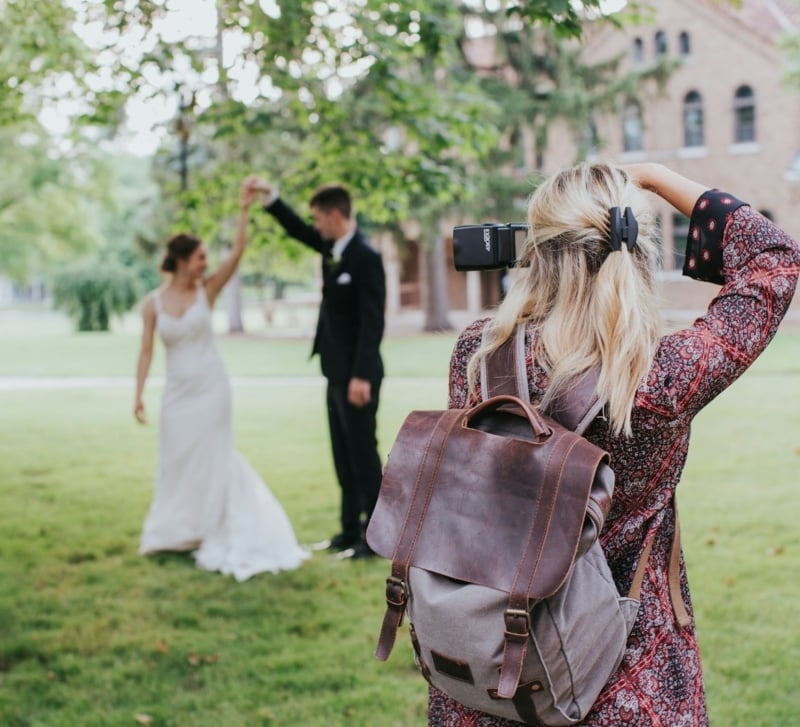
A wedding provides thousands of frames and not much time to sort them. In between the blinks, the half-focused toasts, and nine almost identical renditions of the same first dance are someplace in those bursts the shots clients will take.
This is why choosing the best photo culling software is important, especially when working with weddings. Two names are mentioned over and over: Imagen and Narrative Select. They go about it in various ways, and it is up to you to choose which way you want it to go: AI decides, or AI helps make decisions. They’re compared here in 2026.
Please keep in mind that I have used each company’s own pages as well as third party roundups, some of which are written by their competitors. I’ll point out any discrepancies, since they can occur on the subject.
Say “I Do” to Faster Culling: Imagen vs Narrative Select for Wedding Photographers
What wedding photographers need from a culler
Wedding killing has peculiarities which no other genre has. If your eyes are closed while kissing, it is purposeful, if during vows it is not. Consider group photos and ensure all faces are examined. Near-duplicates are created dozens of times at the ceremony and the first dance. But the deadline is serious, as clients want a gallery within weeks and not months.
The helpful inquiries are basic:
- Will it not lose blinks and blurring without sending the keepers out of position?
- Does it cluster duplicates, allowing you to select one item at a time?
- Able to block all incoming calls in a jiffy?
- Does it seamlessly switch to editing?
- How much is it for each wedding?
Imagen: the cull-then-edit pipeline
Ideal for: Photographers desiring to cull and edit at once in a single flow.
Imagen, the best photo culling software, claims that Imagen is a four-step process: upload a project, establish project preferences, review and finalize the project, and send selected projects to editing with your AI Profile applied. Detection includes duplicate, blurry photographs, closed eyes and even what Imagen calls “kiss recognition,” which means some closed-eye photos are preserved. It adopts a Culling In approach, instead of culling the non-keepers.
There are two features that make weddings suitable:
- Cull to Exact Number: Decide the number of images or the percentage, for example, a couple’s package is 500, and Imagen’s AI picks out the best ones. Check and tweak prior to proceeding.
- Cull Edited Previews: Cull your photos with your favourite AI Profile applied, so you can cull what your finished image will look like.
Imagen is a desktop app for Mac and Windows, and its FAQ says the AI processing runs in the cloud, so it will not consume any of your computer’s CPU or GPU. It’s helpful for an older laptop but will require a good internet connection to upload.
It’s the editing part that Imagen excels at. Many studios find that the fastest way to edit photos after the photo cull, is to send them straight to someone who’s familiar with that style. From 2,000 photos you have edited, Imagen creates a Personal AI Profile, or you can begin with one of 20-plus Talent profiles by named photographers.
It states that editing time can be reduced by up to 96% and it can process 1500 photos in 10 minutes. These are Imagen’s own statistics and should be used on a live wedding.
Pros
- Culling and editing in a single platform, with cloud storage coming soon.
- Cull and edit preview numbers with this tool.
- The cloud processing frees up your computer.
Cons
- Cloud-dependent
- Accuracy claims differ between vendors, so test it on your own wedding.
- Pricing depends on the plan, so check Imagen’s pricing page.
Narrative Select: speed with you in control
Ideal for: Photographers seeking AI support without its control.
Narrative Select is a recent change of the app’s name from Select + Edit to Narrative, according to the app’s own pricing page. It offers AI-assisted culling and editing, with a traffic-light system that flags common problems such as closed eyes and blur.
It uses a hybrid approach: AI flags problems and you make each call.
Narrative states it’s possible to send to Lightroom Classic for Mac and Windows, and Lightroom CC, Photoshop and Capture One for Mac. It does not save completed JPEGs – in your editing program.
Pros
- Manual review with AI flags
- Every decision is made by the photographer
- Exports to Lightroom Classic
Cons
- Designed for less automation than an all-AI culler,
- The claim of speed is from roundups and competitors. A competitor’s test, according to FilterPixel, was 18 minutes to process 1,000 images on a MacBook Pro M3.
- The example shows a correction on the platform support.
Numerous comparisons state that Narrative Select is a Mac-only application, such as the June 2026 comparison from FilterPixel, and even a table on Imagen’s website. However, Narrative Select debuted for Windows, as Narrative’s pages indicate that its software is supported by Lightroom Classic for Mac and Windows. When shooting on a PC, consult Narrative’s current requirements rather than relying on the information of an outdated comparison.
Head to Head Comparison
- Speed. Both are fast in a different manner. Narrative loads images for manual review. Imagen is fast because it handles the initial pass in the cloud using AI, leaving you to skim through a short list. Whether it is quicker to look at each frame of the film or to rely on the pre-selection depends on what you wish to watch.
- Detection. Imagen’s culling offers closed-eye, blur, duplicate and kiss recognition. Narrative identifies traffic-light issues and provides close-ups to confirm. The most desirable picture culling application listed here is based on taste – automated shortlisting versus assisted review. Given that accuracy is subject to vendor debates, try both on the same wedding.
- Control. Narrative is more inclined to manual operation supplemented by AI. It seems that Imagen is leaning towards AI selection, but has some flexibility. Both allow you to override, but the default is different.
- Editing. This is the clear cut advantage that Imagen has. You can use a profile created from your own edits to apply the modification to the entire collection if you wish to have the fastest way to edit photos, after culling. According to its pages, Narrative also has AI editing options on its platform, though I didn’t see as much detail as to how it works, so use the two on your own images.
- Ecosystem. Imagen includes Lightroom integration, and its cloud storage is coming soon. Narrative exports to Lightroom and, on Mac, to Photoshop and Capture One.
- Pricing. This is messy. A comparison by FilterPixel in June 2026 shows that Narrative Select’s entry plan costs $10 per month, while a trial offers three Pro projects for free for three months. Meanwhile, a FilterPixel comparison in March 2026 showed that Narrative Select cost $19.99 per month.
Which should you choose?
Choose Imagen if:
- You want to have one platform from cull to finished edit
- You’re capturing large numbers of shots and want the computer to do the initial cut.You are capturing lots of shots and want the computer to do the initial cut.
- You want cloud processing built into your workflow, with cloud storage coming soon
Where Narrative differs:
- It leaves every decision to you.
- It hands off to Lightroom Classic for editing.
- It is a review tool rather than a full cull-to-edit platform.
Why Imagen Edges Out Narrative Select
Narrative is built around fast review and keeping you in control. Imagen is built around taking decisions off your plate. Based on Imagen’s own pages, here is where it pulls ahead for wedding volume:
- A shortlist instead of a pile. Cull to Exact Number lets you set a target count, such as the 500 images a package includes, and the AI selects the best matches. Narrative’s AI flags problems, but you still review frames to make each call.
- A profile built from your own work. A Personal AI Profile learns from 2,000 of your edited photos, and a Lite profile or one of 20-plus Talent profiles gets you started sooner. You can re-edit a project with different profiles to compare looks.
- Cloud processing. The work runs off your computer, so your machine stays free while the batch runs. In FilterPixel’s test, Narrative took 18 minutes for 1,000 images on a MacBook Pro, though that’s a competitor’s test.
- The shortcut to a finished gallery. If you want the fastest way to edit photos after a wedding, handing selects straight to a profile that already knows your style removes a whole round of handoffs. Imagen claims up to 96% less editing time and 1,500 photos in about 10 minutes, which are its own figures.
Conclusion
Any time you need automation and an integrated edit, you’ll find that Imagen is the more powerful option. For most wedding photographers, that makes Imagen the better choice. After a real wedding, the tool that makes the most sense for you is the best photo culling software for your studio, and the tool that doesn’t require constant fixing is the fastest way to edit photos.
Test out their tools with a free trial, a previous gallery, verify pricing and platform compatibility, and select the instrument that leaves you feeling in control of the due date.