
Cross-platform compatibility: How to open and convert MSG files to PDF on any device
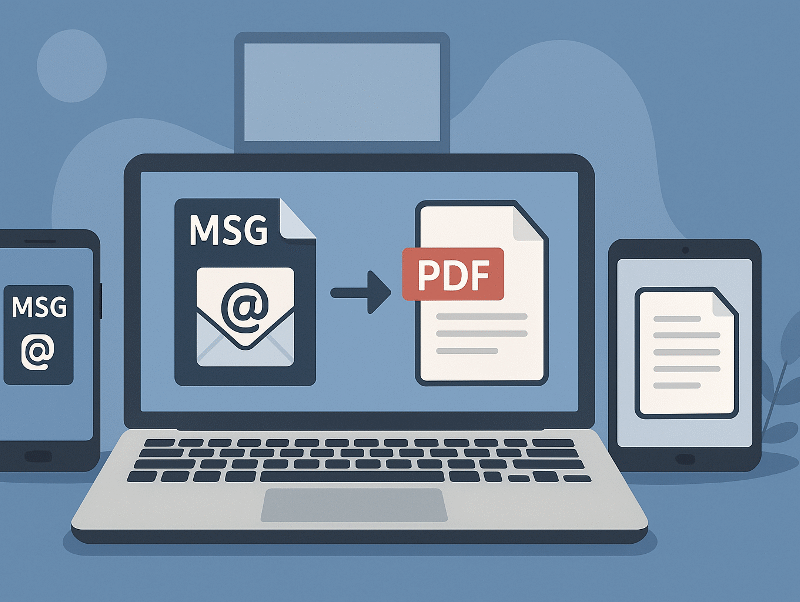
Email communication across different operating systems creates compatibility challenges that disrupt business workflows. Microsoft’s MSG format works seamlessly within Windows environments but fails on other platforms. Services that convert MSG to PDF for free have gained popularity as organizations seek universal access solutions. This conversion approach eliminates platform restrictions and ensures documents remain accessible regardless of device or operating system.
Understanding MSG file compatibility issues
What are MSG files and why they cause problems
MSG files represent Microsoft’s proprietary email storage format designed exclusively for Outlook applications. These files contain complete email messages including headers, body content, attachments, and metadata. The format uses Windows-based MAPI architecture, creating dependencies that limit cross-platform functionality.
The binary structure preserves rich formatting but creates problems elsewhere. MSG files require specific Windows-only software components.
Platform-specific compatibility challenges
Windows systems provide native MSG support through Microsoft Outlook, offering full functionality and seamless integration. Users can open, edit, and manage MSG files without additional software.
Mac environments face significant limitations since Outlook for Mac cannot process MSG files directly. The web version of Outlook offers limited functionality, requiring constant internet connectivity.
Linux distributions completely lack native MSG support. Users must rely on third-party solutions, compatibility layers, or virtual machines to access MSG content.
Mobile devices present the greatest challenge, as neither Android nor iOS includes built-in MSG viewers. Standard email applications reject these files, forcing users to seek alternative solutions.
Why PDF is the universal solution
PDF’s cross-platform advantages
PDF files eliminate compatibility barriers through universal support across all modern operating systems. Every smartphone, tablet, computer, and web browser can display PDF content without additional software installation.
The format maintains consistent visual presentation regardless of viewing device or platform. Email formatting, fonts, and layouts remain intact when converted to PDF. This reliability proves essential for legal documentation and business communications.
Security features distinguish PDF from other formats, offering password protection, digital signatures, and access restrictions. Adobe’s PDF specification defines these capabilities as crucial when sharing sensitive business communications across different platforms.
PDF vs MSG: A comparison
Consider the fundamental differences between these formats:
MSG advantages:
- Native Windows integration
- Full editing capabilities
- Rich metadata preservation
- Outlook-specific features
PDF advantages:
- Universal compatibility
- Consistent formatting
- Advanced security options
- Smaller file sizes
- Long-term preservation
PDF clearly emerges as the superior choice for cross-platform sharing, archiving, and long-term accessibility.
Methods to convert MSG to PDF across platforms
Online conversion tools
Browser-based converters offer the most accessible solution for cross-platform MSG to PDF conversion. These services work on any device with internet connectivity, eliminating software installation requirements.
Most online platforms process files through secure servers, typically completing conversions within seconds. Users simply upload MSG files, select PDF as output format, and download converted documents. This approach works identically across Windows, Mac, Linux, and mobile platforms.
Desktop software solutions
Windows users benefit from specialized applications offering advanced conversion features. These tools provide batch processing, custom formatting, and attachment handling.
Mac-compatible solutions address the gap left by native Outlook limitations. Several applications target Mac users who regularly receive MSG files from Windows colleagues.
Linux alternatives include command-line utilities and compatibility layers. These solutions require technical expertise but offer powerful automation capabilities.
Mobile device solutions
Android users can leverage cloud-based workflows, uploading MSG files to online converters through mobile browsers. Some specialized applications provide direct conversion capabilities, though options remain limited.
iOS devices rely primarily on cloud integration and web-based solutions. Users typically email MSG files to themselves and access conversion tools through Safari.
Step-by-step conversion guide by platform
Windows users
The simplest approach involves Outlook’s built-in functionality. Open the MSG file in Outlook, navigate to File menu, select Print, then choose “Microsoft Print to PDF” as the printer destination. This method works for individual files but becomes tedious for bulk conversions.
Online tools offer greater efficiency for multiple files. Upload MSG files to a web-based converter, select PDF output format, and download results as individual files or ZIP archives.
Mac users
Mac users should utilize web-based Outlook for individual files. Email the MSG file to your Outlook account, access Outlook.com through a web browser, open the attached MSG file, then use the browser’s print function to save as PDF.
Online conversion services provide better solutions for multiple files. These platforms offer drag-and-drop interfaces and batch processing capabilities that work seamlessly.
Linux users
Command-line tools offer the most reliable approach for Linux systems. Install msg-extractor utility via pip, extract MSG content to HTML format, then convert HTML to PDF using wkhtmltopdf. This process can be automated with shell scripts.
Web-based converters provide simpler alternatives for users who prefer graphical interfaces. These services work identically across all Linux distributions without requiring additional software.
Mobile users (Android & iOS)
Mobile conversion requires cloud-based approaches due to platform limitations. Upload MSG files to cloud storage, access online converters through mobile browsers, download converted PDF files to device storage.
Email forwarding provides another option. Send MSG files to email accounts, access them through webmail interfaces, then use online conversion tools.
Best practices for cross-platform MSG management
Choosing the right conversion method
File volume significantly impacts method selection. Individual conversions work well with manual approaches, while bulk processing requires specialized tools or online services.
Security requirements determine whether to use local software or cloud-based solutions. Sensitive business communications may necessitate offline processing.
Maintaining data integrity
Verification steps ensure conversion accuracy and completeness. Always compare original MSG content with converted PDF files, checking for missing attachments, formatting errors, or incomplete text rendering.
Attachment preservation requires careful tool selection. Some converters extract attachments as separate files, while others embed them within the PDF document.
Workflow optimization
Automation possibilities reduce manual effort for regular conversions. Scheduled scripts can monitor directories for new MSG files and automatically convert them to PDF format.
Integration with existing systems streamlines workflows significantly. Many businesses implement conversion tools within their document management systems.
Advanced tips and troubleshooting
Common conversion issues and solutions
Large files often cause conversion failures due to memory limitations or timeout restrictions. Break large MSG files into smaller segments or use desktop software for processing oversized email messages.
Attachment extraction problems occur when MSG files contain embedded objects or unusual file formats. Verify that your chosen conversion tool supports all attachment types before beginning batch conversions.
Security considerations
Online service privacy policies vary significantly between providers. Review terms of service carefully, especially regarding data retention, third-party access policies, and geographic data storage locations.
“Local processing provides maximum security control but requires compatible software installation.”
Balance convenience against security requirements based on your organization’s specific needs.
Future of cross-platform email compatibility
Industry trends
Cloud-first email solutions increasingly dominate the market, reducing reliance on proprietary formats like MSG. Microsoft’s ongoing migration toward web-based Office applications indicates industry movement toward platform-independent solutions.
Mobile-first approaches drive demand for universal file formats. As remote work becomes standard practice, cross-platform compatibility grows increasingly critical. Research from Statista indicates that PDF remains the most widely adopted document format across all industries and platforms.
Preparing for tomorrow
Migration strategies should gradually reduce MSG dependency through standardized email formats. Organizations benefit from establishing policies favoring platform-neutral communication methods.
Alternative archiving formats like EML or MBOX provide better cross-platform support while maintaining email structure and metadata integrity. These standards ensure long-term accessibility across diverse computing environments.
Conclusion
Converting MSG files to PDF addresses fundamental compatibility challenges across diverse computing environments. Whether using online converters, desktop software, or mobile workflows, success depends on selecting appropriate tools for your platform and requirements. Test different conversion methods to identify solutions that best serve your cross-platform communication needs.