
Do Flexible Monitors Handle USB-C, Thunderbolt, and HDMI Equally Well?

With the current trend of flexible monitors revolutionising the display sector, the central question posed is: how effective are the new types of monitors in terms of the connectivity options? With USB-C, Thunderbolt, and HDMI as the primary connection standards for modern displays, potential buyers must understand the performance capabilities of flexible monitors supporting each of these standards. This article discusses the general connection capabilities of flexible monitors, compares the ways various brands utilise such technologies, and helps you decide which type of connection best suits your needs.
The Connectivity Landscape in Flexible Monitors
Flexible monitors are the latest advancement in display technology, offering a new level of flexibility in form factor. Their physical flexibility does not always imply, however, their connectivity flexibility. These monitors may differ significantly in terms of supporting USB-C and Thunderbolt, as well as HDMI, which can impact not only the quality of the image but also the speed of data transfer and the amount of power required to operate a device.
The USB-C has been designed to be a universal cable that can transfer both video and data simultaneously, while also providing power delivery. This development is further enhanced with higher bandwidth and additional features, thanks to the introduction of Thunderbolt by Intel. The traditional HDMI video connectivity remains very popular, but it is not as multifunctional as newer alternatives.
Uperfect’s Approach to Connectivity
Uperfect FlexView: USB-C Excellence
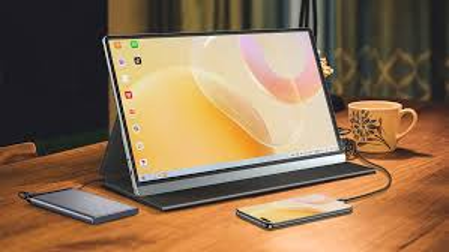
The Uperfect FlexView is an example of the possible performance of the flexible monitors with USB-C connectivity. The bendable monitor features a USB-C port that supports DisplayPort Alternate Mode, enabling it to transmit video signals and supply up to 65W of power to charge other devices. This functionality is especially impressive to implement, as Uperfect has succeeded in maintaining it even when the display is bent to its extreme curvature. The FlexView’s USB-C implementation also supports data transfer, making it a proper all-in-one connection solution for users who want to minimise cable clutter.
Uperfect GameFold: Optimized for Gamers
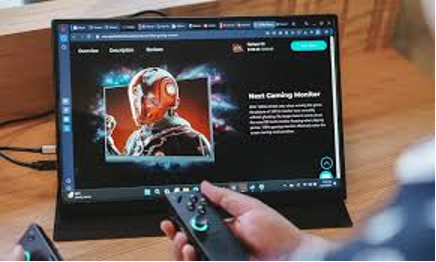
To gamers, the Uperfect GameFold demonstrates how gaming requirements can be effectively met with modular monitors. Although it features USB-C connectivity, this portable game monitor also includes its own HDMI port, supporting high refresh rates of up to 144Hz. To achieve the advantage of low input lag with an HDMI connection, Uperfect has created this model, while also providing the ease of use with USB-C. The dual-connection design of the GameFold demonstrates how a manufacturer can design flexible monitors with specific applications in mind without compromising flexibility.
Uperfect ProDual: Thunderbolt Integration
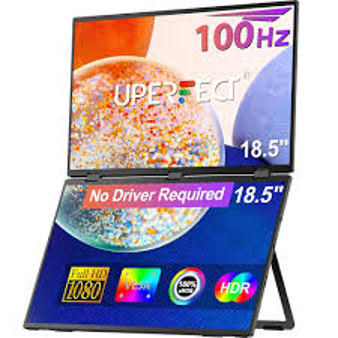
Uperfect ProDual is the high-end product of the company, featuring full support for Thunderbolt 3. This can support an incredible 40Gbps bandwidth, which means that the display can be used as an extra screen for laptop at the same time as providing high-speed data delivery and up to 85W power delivery. The implementation of Thunderbolt on the ProDual is particularly noteworthy, as Uperfect has successfully preserved the flexibility of the display without compromising the integrity of the high-speed connections— a major production feat in the adaptable monitor category.
How Other Brands Handle Connectivity
Samsung Odyssey Ark: Multi-Port Flexibility
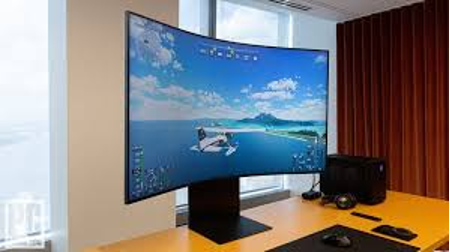
The Odyssey Ark by Samsung does not follow this trend when it comes to differentiating connectivity in a flexible monitor. Although it has USB-C and DisplayPort capabilities, Samsung has placed more emphasis on its HDMI implementation, which supports 4K at 120Hz. The Odyssey Ark is also equipped with an additional feature that allows it to switch between landscape and portrait modes without losing connection. The strategy adopted by Samsung demonstrates how older monitor companies are adapting their connectivity capabilities to the flexible form factor, albeit with a lower focus on Thunderbolt integration than the premium offerings of Uperfect.
LG UltraWide Flex: HDMI Focus
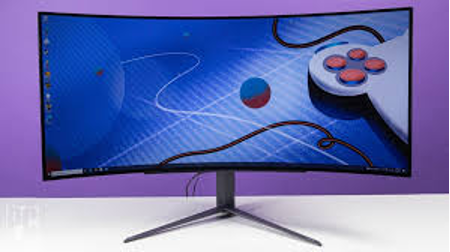
The UltraWide Flex monitor from LG emphasises that the brand prioritises HDMI as the primary connection standard. Although it features a USB-C port used for simple connectivity and power delivery, LG has refined the HDMI implementation to support its proprietary gaming capabilities and colour calibration technologies. The UltraWide Flex is capable of carrying these professional capabilities when bent, but does not include Thunderbolt support like higher-end models. This could attract users who value particular display technologies more than the flexibility of Thunderbolt.
ASUS ROG Swift: Gaming-Optimized Connections
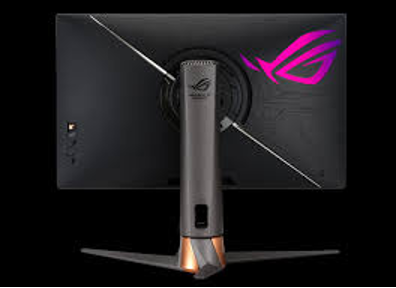
The ASUS ROG Swift flexible monitor is a portable monitor that showcases how gaming-centric brands prioritise connectivity. Although it can utilise USB-C as a fundamental compatibility, ASUS has crafted this model to be compatible with HDMI, which allows for high refresh rates and adaptive sync technology, both of which are important in gaming. The HDMI variant of the ROG Swift features signal processing that does not compromise image quality when the display is bent or folded. This niche solution illustrates that flexible monitors can be customized to particular uses, but might not be as flexible as customers who need the capabilities of Thunderbolt would want.
Dell UltraSharp Flex: Professional Connectivity
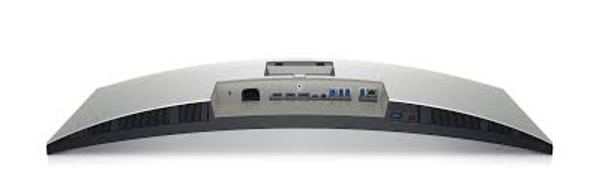
The Dell UltraSharp Flex monitor will be marketed to professional users due to its high degree of connectivity. It has USB-C DisplayPort alternate mode and power delivery, HDMI, and is compatible with the older devices. Dell is also introducing a special feature that utilises a docking station with a USB-C port, allowing the monitor to serve as a hub for connecting multiple devices. It does not support Thunderbolt, but Dell’s use of USB-C is quite robust, allowing all functions to be used even when the display is changed to other curvatures.
Performance Comparison: USB-C vs. Thunderbolt vs. HDMI
When comparing the flexibility of monitors in terms of their ability to adapt to various connection types, several performance factors are considered. USB-C DisplayPort Alt-Mode is compatible with 4K/60Hz, which is sufficient for most productivity applications and consumer content display. Thunderbolt supports a maximum of 5K 60Hz or two 4K displays, which suits professionals who need optimal screen real estate and fast information transfer.
Though HDMI is mainly used to transfer the video, it can also be utilized at high refresh rates when using flexible monitors and, therefore, it is more adequate in gaming. The new HDMI 2.1 model supports 4K and 120Hz, which is necessary to ensure a smooth gameplay flow. However, HDMI is not as powerful as USB-C and Thunderbolt in terms of power output and data transfer capabilities; therefore, it is often combined with other cables.
Practical Considerations for Users
To the majority of users, the decision to use either connection type will be determined by their respective needs. Gamers will likely be interested in the flexible monitors with optimised HDMI connections, having high refresh rates and adaptive sync technologies. USB-C may be sought after by business travellers because of its ability to combine everything into a single cable, which will minimise the number of cables they need to carry. Flexible monitors using Thunderbolt could be worth the higher cost to the creative professional who needs the highest possible resolution and colour accuracy.
You are also the one to wonder about which devices you will be using to connect to your flexible monitor. Newer laptops typically feature USB-C or Thunderbolt ports, whereas older laptops often have HDMI ports. Flexible monitors have more connection options, which makes them the most versatile, yet slightly more expensive.
Conclusion
Flexible monitors are compatible with USB-C, Thunderbolt, and HDMI, with different degrees of success depending on the manufacturer and model. Uperfect has demonstrated exemplary implementations in all three standards, particularly in their ProDual model with Thunderbolt. Samsung, LG, ASUS and Dell are the competitor brands with more specialised approaches, which may be more helpful in specific applications.
When choosing a flexible monitor, it is essential to emphasise the most common cases when you will use it and the devices that you need to connect to. The performance of HDMI can be vital to gamers. Simultaneously, USB-C can be utilised by business professionals, whereas the more professional features of Thunderbolt can prove essential to creative individuals. The development of technology will further provide an even more flexible monitor with greater capabilities.