
How to Optimize Your PS5 and Steam Deck Display Settings
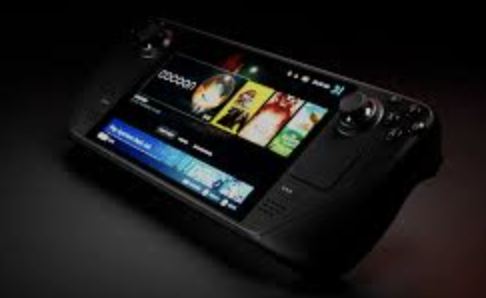
The PlayStation 5 and the Steam Deck from Valve are wonders of modern technology, which cram enormous power into smooth designs. But this is not enough as its screen is not good. Even the clear bright 4K graphics seen pale on these, and fast games crawl also. You can upset your back hunching over your Steam Deck, or you can be plugging your PS5 into a second monitor. This is worthless, but take advice and use your experience when you need to buy.
This guide will take you through the most critical settings on each platform and discuss how a serious portable monitor can unlock the potential of either platform.
Tuning the Handheld: Steam Deck’s Native Screen
The native screen of Steam Deck is your entry to your PC game collection, and the first step is to get it right. The trick lies in striking a balance between visual fidelity and the always-present issue: battery life.
Pressing the menu button opens the Quick Access Menu. It has the best settings.
Brightness and HDR: It is the simplest setting. If you have an LCD model, its high brightness lowers the battery fast. In the case of the OLED model, the possibility of enabling HDR is. HDR will allow a much greater number of colors and contrast when playing a game that supports it, and bright pops and dark shadows are more impressive. Use it when supported with titles, but do pay attention to the fact that it may affect battery life too.
Refresh Rate: The default refresh rate of the Steam Deck is 60Hz. But it can be changed to 40Hz. Why would you do this? With less intensive games, such as turn-based RPGs, strategy games, or indie puzzlers, you will not see any difference in motion, but you will see a considerable increase in battery life. It is a good device for places where you have no electricity.
Performance Scaling Overlay: This does not appear as a display setting, but it affects what appears on your screen. The frame rate (e.g., to 30fps) makes it a good, cool and quick system without putting load on the system.
Console Perfection: Dialing in the PS5
The PS5 has difficult and heavy console main menu settings. Go to the settings screen and video.
Resolution: PS5 gives a high resolution (upto 4K) for your TV and monitor. You just need to adjust it according to your need to get a good image.
HDR Calibration: It is the most crucial setting. And not only turn HDR on, but calibrate it. The PS5 also has a superb built-in option that helps you in adjusting the black level of your display, its brightest, and its mid-tones. The correct HDR calibration is the difference between a world of difference and not having crushed black and blown-out highlights, and provides you with an image as intended by the game developers.
Video Output Range (RGB): This is a confusing setting. If you have no idea, set it to Full. It gives you a color range for 0-255. Most of modern displays are good at Full RGB.For older displays , use the Limited option.
Beyond the Built-In: The Case for a Portable Monitor
Although the screen of the Steam Deck is high-end and a 4K TV is the home of the PS5, a portable monitor would be the best of both worlds: the Deck has a bigger and better-immersion screen, whereas the PS5 can truly be carried like an extension of a portable table. With this, you can make your gaming best. A best PS5 portable monitor can heighten your experience upto next level with its realistic colors and higher refresh rate. These are not only good for gaming but used as a best tool for tech fans in work environments, and as a second screen of a laptop.
The Contenders: Portable Monitors for the Ultimate Setup
An appropriate external monitor is essential for an elevated experience. Look at some best models from which you can choose one of your choice.
UPERFECT’s Lineup
UPERFECT has a vast range of monitors with different features for varied needs with different costs.
UPERFECT 2K 120Hz Gaming Monitor
Size: It has a 15.6-inch display for a large viewing area.
Resolution: 2560×1440 (2K QHD). It delivers sharper images.
Panel Type: IPS (In-Plane Switching).
Refresh Rate: 120Hz. This allows 120 frames per second for smoother gameplay.
Response Time: 1ms (GtG). Avoid blurriness in fast-moving scenes.
Key Features: Supports HDR, allows USB-C connection, and has built-in speakers.
Worthy Competitors
Other than Uperfect, there are so many other brands that provide worthy monitors.
-
Arzopa G1 15.6″ 144Hz Portable Monitor
Size: It has a compact size of 15.6 inches.
Resolution: 1920×1080 (Full HD).
Panel Type: It has IPS to provide vibrant colors and wide viewing angles.
Refresh Rate: 144Hz. Best refresh rate for competitive gaming.
Response Time: 5ms, which is acceptable for many gamers, especially when paired with a high refresh rate.
Key Features: Supports AMD FreeSync, reduces screen tearing and provides dual speakers.
-
INNOCN 15.6″ OLED Portable Monitor
Size: 15.6 inches
Resolution: 3840×2160 (4K UHD). Displays a pixel-dense and crisp image.
Panel Type: OLED.
Refresh Rate: 60Hz. Gives cinematic experiences and detailed visuals.
Response Time: 0.1ms, matching the near-instantaneous speed of other OLED panels.
Key Features: Has a touch-sensitive screen, HDR support, and USB-C for video and power.
-
ASUS ROG Strix XG17AHP
Size: A larger monitor with a 17.3 inch screen.
Resolution: 1920×1080 (Full HD).
Panel Type: IPS panel, which is used for fast response times and solid color performance.
Refresh Rate: An extremely high refresh rate of 240Hz.
Response Time: Ensure clear images with 1ms (GtG) response time.
Key Features: A built-in 7800mAh battery for true portability and a SmartCase that doubles as a stand.
-
ViewSonic TD1655
Size: A larger monitor of 16 inches.
Resolution: 1920×1080 (Full HD).
Panel Type: IPS panel system with good color accuracy for professional and creative works.
Refresh Rate: A standard 60Hz refreshing rate for everyday use and light gaming.
Response Time: 3ms, a mid-range response time suitable for a mix of productivity and entertainment.
Key Features: A built-in stand for stability, a 10-point touch screen, and dual USB-C ports.
Looking Ahead: Preparing for Tomorrow’s Consoles
Technology moves fast. It is a brilliant idea to invest in a good-quality portable monitors with such functions as 4K resolution, high frame rate, and HDR. The display that you buy now will not only be compatible with your PS5 and Steam Deck but will also be prepared to be used with the next generation of hardware. Enthusiasts are already speculating as to the best monitors for PS6 in the future, and having a feature-packed portable screen is a future-proof investment.
Final Verdict
It is a two-step process to optimize your display; first, adjust the settings on your PS5 or your Steam Deck to make sure that it is delivering the best signal. Second, select an external monitor that is of high quality and capable of accurately reproducing that signal and taking your gaming to a whole new level. Budget-friendly or high-priced OLED model: It depends on the pocket-sized size you need, and the correct portable monitor will bring the full visual potential of your equipment to bear, making any place your own gaming stage.