
Nursing Documentation and Mac Use: Balancing Efficiency and Data Security
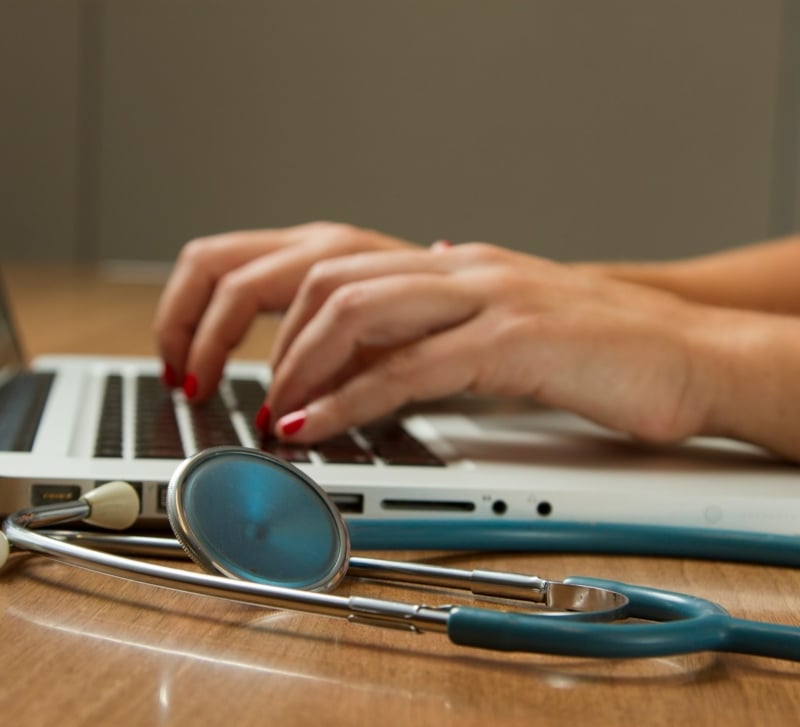
In modern healthcare, recording information correctly is vital not only for quality patient care, but also for legal protection, reimbursement, and compliance. As more nurses turn to using electronic devices, Apple’s MacBook and iPad have gained popularity in both clinical and academic settings. These devices are easy and convenient to carry around and dependable, so they’re favorable among most busy nursing professionals who have embraced a greater number of digital tools within their practice. However, convenience also creates a major challenge: ensuring data confidentiality of patients.
The Rise of Mac Use Among Nurses
Apple no longer just works in offices in the health sector. Nurses are using Macs and iPads more often to help them do their work such as writing up patient notes, planning care, providing telehealth services as well continuing education through online programs. Most nursing students favor Macs due to their fast speeds and long-lasting batteries; however, experienced nurses might opt for the same reason when engaging in data gathering, noting, or logging into electronic medical records.
This change increases the risk of breaking laws regarding data protection and patient confidentiality, as well as other similar legislation such as the Health Insurance Portability and Accountability Act (HIPAA).
The Risks: Why Cybersecurity Matters
Nurses always deal with confidential information such as medical histories, drug files, and laboratory findings among others. A breach is not only an ethical issue; rather it may attract a lawsuit, punishment, and spoil the image of a nurse in his or her work.
Although Macs are very secure, they can be attacked too. Over the past few years, there have been better developed ways of phishing schemes, ransomwares, and malwares attacking macOS. A simple lapse—like clicking a suspicious link or failing to encrypt a device—can lead to serious consequences, so it’s necessary to take cybersecurity steps that can help improve the safety of a device.
Best Practices for Secure Nursing Documentation on a Mac
Here are key strategies nurses can use to document efficiently while keeping data secure:
Use Strong Passwords and Two-Factor Authentication (2FA)
Use strong and different passwords always for both your Mac and health platforms. Turn on two-factor authentication, especially on cloud systems or emails.
Encrypt Your Device
If you save or open patient data on your Mac, turn on FileVault. It will keep your information safe in case of loss or theft of the laptop.
Keep macOS Updated
Apple regularly releases security updates. Installing them promptly helps close vulnerabilities that hackers can exploit.
Avoid Public Wi-Fi or Use a VPN
Do not use public networks if you don’t have a secure VPN. With a VPN, your internet traffic is encrypted and therefore protected from unauthorized access.
Install Reputable Antivirus Software
While macOS has strong built-in security, additional antivirus protection can help catch threats that slip through the cracks.
Log Out and Lock Your Screen
Stepping away from your Mac without locking it can expose data to unauthorized access—especially in clinical or shared environments. Get in the habit of locking your screen every time you walk away.
Be Smart About Backups
Use encrypted backups via iCloud or Time Machine, and ensure any external drives used for backup are also encrypted and stored securely.
Documentation Tools That Work Well on Mac
Nurses and nursing students often use Mac-compatible tools for documentation and workflow management. Popular platforms include:
- Microsoft Office 365: Word and Excel are still staples for many nursing documentation tasks, and they run smoothly on macOS.
- Notion or Evernote: Great for note-taking, organizing care plans, and even collaborating with other healthcare professionals.
- Cloud-based EHRs (Electronic Health Records): Many modern EHR platforms like Epic, Cerner, and Meditech have web-based interfaces accessible via Safari or Chrome on Mac.
Make sure you use a safe connection while logging into your tools. Also, confirm that any automated saving or synchronization functions have been encrypted correctly.
Balancing Efficiency with Responsibility
The aim is not to make nursing staff less willing to use Macs, but to promote their smart and safe usage. Nurses who follow good practices of cyber-security will be able to exploit everything offered by Apple’s ecosystem and at the same time uphold their duty related with client’s information protection.
Efficiency and safety can go together. Nurses can make their work simpler to do documentation safely in a highly digitalized healthcare environment if they use appropriate instruments, practice well, and keep alert.
Final Thoughts
Nursing and technology are changing with time in the health sector. Macs can enable quick recording, orderliness and better recovery rates of patients with some caution. Modern nursing practice now incorporates cybersecurity as part of IT’s role in nursing.
Nurses who understand the risks and use proper methods will be able to balance efficiency and data protection without any problems, as they will ensure that every keystroke is safe.