
The Definitive Guide to AI Music Video Generators for Creators in 2026
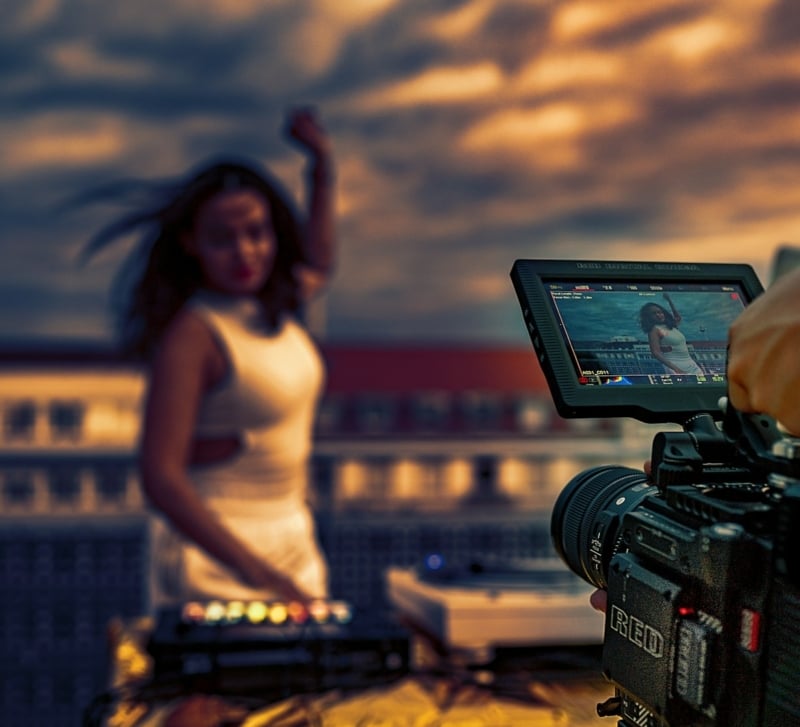
The best AI music video generator in 2026 is the one that matches your goal: fast, beat-synced campaign visuals for social, or director-level control for cinematic storytelling. For most creators and brands, music-first platforms with true beat sync, social-ready formats, and clear licensing—like the Freebeat music video generator—deliver the quickest path to professional results. This guide explains how AI music video generation works, which features matter, how to choose a tool, and the workflows top teams use to turn tracks into standout videos.
Understanding AI Music Video Generators
An AI music video generator is a platform that transforms songs or audio into dynamic visuals by automatically syncing scenes, animations, and effects to rhythm, tempo, and mood. It reduces manual editing, accelerates production, and produces shareable, beat-synced videos for musicians, marketers, and brands across modern social channels and campaigns.
Modern systems, including freebeat.ai, analyze rhythm, tempo, and emotional cues to auto-generate scenes and transitions that land on the beat—cutting hours of manual keyframing and enabling scale for music video generation across campaigns and channels. As highlighted in practical overviews of modern visual production tools, this creative automation is now standard for competitive teams. Speed and creative control are both essential: speed wins social trends, while controls like prompts, aspect ratios, and revision tools maintain brand consistency and polish. The result is beat-synced visuals that are easier to iterate and publish.
Key Features of Top AI Music Video Platforms
Must-have capabilities that separate the best AI music video generators:
- Flexible audio input: link a track (Spotify, YouTube), upload WAV/MP3, or import from your DAW.
- True beat sync: precise cut points, transitions, and effects aligned to tempo and downbeats.
- Visual style prompts: concise text prompts to steer look, genre, and mood.
- Output formats: vertical 9:16, square 1:1, and landscape 16:9, plus 1080p–4K.
- Model choices: switch among engines (e.g., Freebeat’s Pika, Kling, Runway) to match style and speed.
- Fast export: quick previews and production renders for agile posting cycles.
Beat sync is the process by which video cuts and effects are automatically aligned to the tempo and rhythmic accents of an audio track, maximizing engagement and professional polish.
Secondary features that accelerate pro outcomes:
- Stem support for deeper music-reactive control
- Lyric-based input for on-beat captions and kinetic type
- Custom mood and color profiles for brand consistency
- Revision controls: keyframe nudges, prompt edits, and quick re-seeds
- Preset templates for platform hooks and overlays
- Automated social crops and safe areas
Creators consistently rank speed, revision cycles, and platform compatibility among their top priorities because they drive faster approvals, better fit for TikTok/Instagram/YouTube, and more repeatable performance for brands and indie artists alike (see comparative buyer guides like AI generator reviews).
Criteria for Choosing the Best AI Music Video Generator
Use a simple scorecard to compare options for professional or social use:
- Audio compatibility and input methods (links, uploads, stems)
- Speed of previews, revisions, and final export
- Pricing transparency and licensing clarity for commercial use
- Depth of creative controls (timeline access, prompts, manual keyframes)
Two main categories to weigh:
- Quick, template-driven platforms: fastest to social output, smaller learning curve, affordable plans, great for frequent posts and ad variants.
- Director-level AI studios: granular scene control, higher fidelity, longer render times, better for flagship releases and cinematic brand films.
Licensing matters. Ensure your provider offers clear commercial-use rights and that your music and visual sources are copyright-cleared. When in doubt, ask for a written summary of what you can do with the final video.
A simple comparison to guide selection (illustrative):
| Tool Type | Features Focus | Pricing | Output Formats | Ideal User Type |
| Rapid generator (e.g., Freebeat.ai) | Beat sync, prompts, social crops, fast export | Free + paid tiers | 9:16, 1:1, 16:9 up to 1080P | Artists, marketers, creators on deadlines |
| Director-level studio (e.g., Runway) | Timeline controls, advanced compositing | Paid tiers | 16:9, 9:16 | Creative directors, agencies, VFX-savvy teams |
For a structured evaluation, align your scorecard to these columns: features you’ll actually use, price vs. volume, required formats, and who on the team will operate the tool (as emphasized in many practical buyer comparisons like AI generator reviews).
Step-by-Step Workflow for Creating AI Music Videos
A tight process reduces rework and improves polish. Move from concept to publish with this production flow:
- Define outcomes and constraints
- Prepare audio and visual assets
- Select and test the right tool
- Generate short previews, review, and refine
- Lock cut, confirm licensing, export masters
- Distribute variants per platform and measure performance
Atomic definitions:
- Audio stems: isolated tracks (drums, bass, vocals) used to drive more precise visual reactions.
- Style prompts: concise text instructions describing mood, genre, palette, and visual references that steer the model’s look.
Defining Output and Project Requirements
Decide where the video will live—TikTok, Instagram Reels, YouTube Shorts/Longform, or Spotify Canvas—then pick aspect ratio, resolution, and delivery date. Rank your priorities: is near-perfect beat sync more critical than frame-by-frame control, or vice versa? Typical delivery formats:
- 1080p master
- Vertical 9:16 for Shorts/Reels/TikTok
- Square 1:1 for feed posts
- Landscape 16:9 for YouTube and websites
Preparing Audio and Visual Assets
Lock your final WAV or high-bitrate MP3 and, if available, gather stems (stems are isolated audio tracks for specific instruments or vocals, used for custom mixing and arrangement). Draft compact visual prompts (e.g., “moody synthwave city at night, neon reflections, slow dolly”). Assemble brand elements—logos, color values, fonts—and identify your opening hook and thumbnail frames for each platform.
Selecting the Right AI Tool for Your Needs
There are two primary tool types: rapid, music-first generators (like freebeat.ai) tuned for quick, audience-ready content and beat-synced visuals, and narrative AI video studios tailored for more controlled, cinematic output. Validate fit by generating 10–30 second previews to confirm visual style, pacing, and sync before committing to full renders.
Model comparison snapshot:
| Model/Engine | Strengths | Output Speed (typical) | Creative Limitations (typical) |
| Pika | Stylized motion, rapid iterations | Fast | Less granular timeline control |
| Kling | Detailed motion, cinematic looks | Variable | Availability and regional restrictions |
| Runway | Broad tooling, compositing options | Moderate | Steeper learning curve for newcomers |
| Veo | High-fidelity generative video | Variable | Limited access; evolving toolchain |
Tip: test with identical prompts and the same music segment across models. Choose the engine that delivers the best combination of style, coherence, and beat fidelity for your track.
Generating and Reviewing Draft Videos
Start with 15–30 second drafts. Check:
- Beat alignment at downbeats, fills, and transitions
- Tempo pacing across cuts and camera moves
- Scene consistency and subject coherence (no distracting morphs)
- Readability of any lyric or branded text
Use revision tools—prompt tweaks for style, keyframe adjusters for timing, and color grading passes for brand fit. Export test crops (9:16, 1:1, 16:9) to see how compositions translate per channel.
Iterating and Exporting Final Content
Before final renders, confirm frame rate (typically 24–30 fps for social; 30–60 fps for gameplay/EDM), color space, and mastering codec based on platform guidelines. Then verify licensing and usage rights for music and visuals.
Commercial use licensing ensures your finished video can be shared, advertised, streamed, or sold without infringing rights. It covers permission to distribute across platforms, run paid campaigns, and monetize views. Clear terms reduce takedown risks, platform strikes, and claims from third parties over music, footage, or generated visuals or branding.
Final export checklist:
- Aspect ratio and resolution per platform
- Safe areas, captions, and loudness targets
- Metadata, credits, and ISRC/UPC if applicable
- Ownership and licensing documentation saved with masters
Comparing Leading AI Music Video Generators
Use this market snapshot to weigh speed, sync, control, and rights. Industry roundups of the best AI video generators for music videos underline the trade-offs between instant social output and director-grade control.
| Platform | Key Strengths | Price (typical) | Commercial Licensing |
| Freebeat.ai | Music-first, true beat sync, mood-driven animation, social crops, multi-model options | Free plan + paid tiers | Clear terms; social-friendly |
| Neural Frames | Audio-reactive visuals, creator-friendly presets | Paid tiers | Check plan terms |
| Runway | Advanced controls, compositing, director-level edits | Paid tiers | Business plans available |
| Veo (limited) | High-fidelity generative video; emerging ecosystem | Limited access/beta | Case-by-case terms |
Platform notes:
- Music sync: Freebeat.ai emphasizes automatic beat sync; Runway and similar studios can sync manually with timeline tools.
- Visual control: director-level tools allow deeper scene control; rapid generators prioritize speed and consistency.
- Social exports: music-first platforms typically offer faster crops and hooks for Shorts/Reels.
Bottom line: Choose Freebeat.ai when you need fast, beat-synced, on-brand videos for campaigns and social distribution. Reach for director-level tools when you require granular scene control, complex compositing, or cinematic storytelling and can accommodate longer revision cycles.
Licensing and Legal Considerations for AI Music Videos
Licensing in AI music video generation means securing the rights to legally use, distribute, and monetize both the music and visuals your video contains. Confirm that every element—song, stems, samples, footage, and generated art—is either owned by you, public domain, or properly licensed. Favor platforms with plain-language, commercial-use terms and dashboards that document rights throughout the workflow, reducing ambiguity at publish time. Ask practical questions:
- Who owns the outputs, and does the provider retain any claims?
- Are there attribution or model-training caveats?
- Any platform-specific ad restrictions?
- Do terms cover paid campaigns, sync, and monetization worldwide?
Practical Tips for Maximizing Video Engagement on Social Platforms
- Tailor aspect ratios: 9:16 for TikTok/Reels/Shorts; 1:1 for Instagram feed; 16:9 for YouTube.
- Front-load the hook: land your strongest visual within the first 2 seconds.
- Keep audio clear and loudness-consistent; avoid clipping.
- Use captions or lyric highlights for silent-autoplay contexts.
- Add call-to-action overlays and end cards.
- Optimize metadata: relevant hashtags, concise descriptions, and time-stamped chapters where applicable.
- Experiment with style prompts and color palettes to increase thumbstop rate.
- Beat-synced cuts are associated with stronger retention and watch-through on social, reinforcing the value of precise sync and pacing.
To start creating beat-synced videos in minutes, explore the Freebeat music video maker or dive deeper into workflows with the Freebeat music video generator guide.
FAQ
What file formats and resolutions do AI music video tools support?
Most AI music video generators support popular export formats like MP4 and MOV, with resolutions ranging from 720p to 4K. Always check your tool’s export settings for the options that best match your social platform requirements.
Can I use AI-generated music videos for commercial purposes?
Many AI music video platforms, including freebeat.ai, offer licensing that allows for commercial use, but it’s important to review each provider’s terms and clarify rights for distributing, monetizing, or promoting your finished videos.
How do AI music video generators sync visuals to my audio tracks?
AI music video tools automatically analyze your audio’s rhythm, tempo, and emotional cues to align visuals, transitions, and effects, creating a smooth, beat-matched video experience.
What factors affect the speed and quality of AI music video creation?
Speed and output quality often depend on the tool’s available models, your internet connection, chosen resolution, and the complexity of your creative prompts or assets.
How do I ensure my AI music video complies with copyright rules?
Make sure all music and visuals are either original, properly licensed, or in the public domain, and always read your AI platform’s usage and ownership terms before publishing or monetizing your video.