
Best Fonts for a Resume in 2027: How Typography Affects ATS Scanning and First Impressions
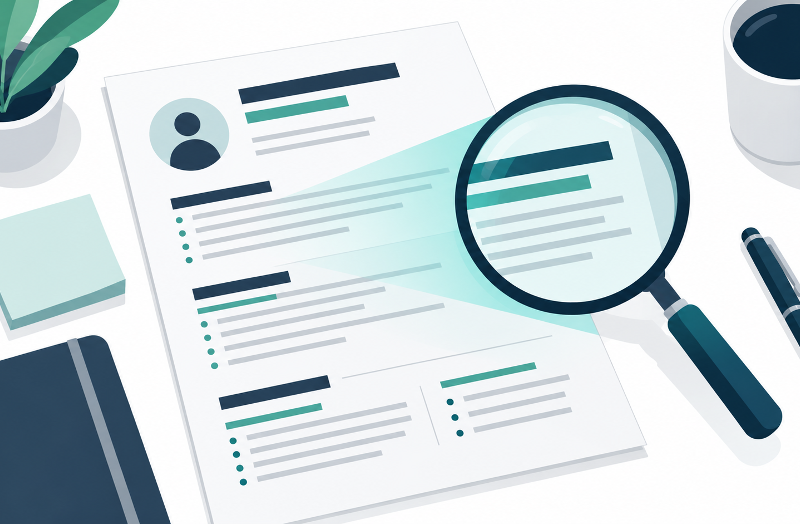
A resume has two readers. The first is software that turns your file into text and sorts it into categories. The second is a person who may scan the page quickly and decide whether to read further. Typography touches both. The right font will not win you a job on its own, but a poor choice can make your experience harder to parse and harder to read. As hiring tools and layouts keep changing into 2027, the safest advice remains simple: choose clear, common type, set it consistently, and let the content do the work.
What ATS Software Actually Cares About
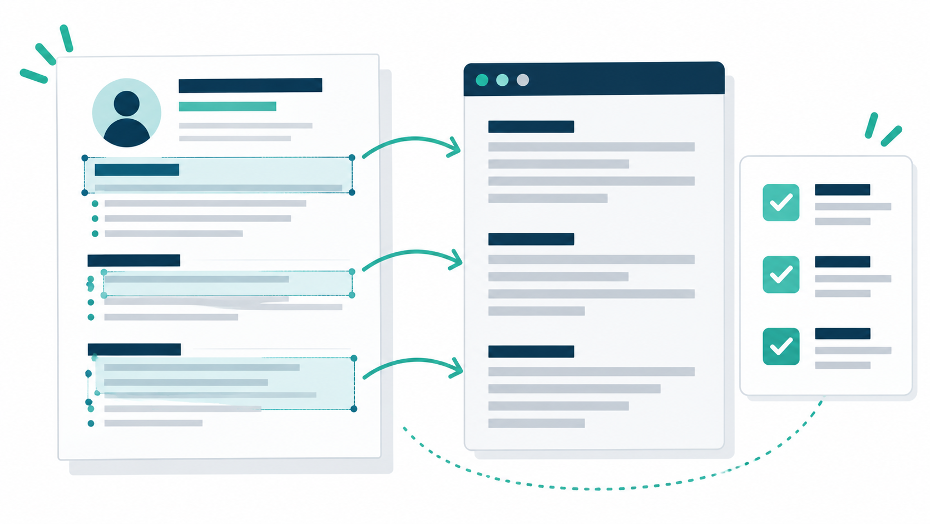
Most applicant tracking systems read a document from left to right and top to bottom, extract the text, and file it under headings such as experience, education, and skills. Fonts matter mainly because unusual ones can cause parsing problems and because some systems show a resume exactly as submitted, which makes readability important. The Career Center at Santa Clara University advises candidates to stick with common fonts such as Arial, Times New Roman, or Calibri to avoid parsing issues, to use conventional section headings, and to keep contact details out of headers and footers, which these systems typically do not read.
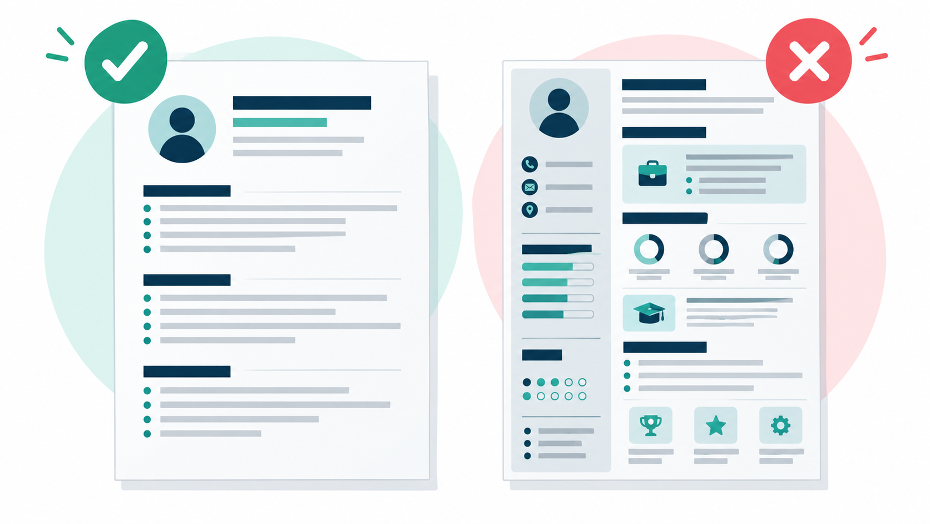
Layout choices matter at least as much as the typeface. Notre Dame’s undergraduate career office recommends against tables, images, and text boxes, and does not recommend columns. In short, ATS-friendly typography is mostly about restraint.
Safe Fonts That Still Look Professional
The recommended lists from university career centers overlap heavily. Between the two guides above, the commonly cited options are Arial, Calibri, Cambria, Garamond, Georgia, and Times New Roman. The table below groups them by style.
| Font | Style | Where It Works Well |
| Arial | Sans-serif | A neutral default that reads cleanly on screen and in print |
| Calibri | Sans-serif | A softer sans-serif that suits modern, corporate resumes |
| Cambria | Serif | A serif designed for screen reading, good for body text |
| Garamond | Serif | A classic, compact serif for traditional fields and dense layouts |
| Georgia | Serif | Wide letterforms that stay legible at small sizes |
| Times New Roman | Serif | The familiar conservative choice, safe but plain |
If you want options beyond the defaults, FontsArena’s collections of sans-serif and serif fonts are useful for comparing letterforms and designing the rest of your application materials. For the resume file itself, a widely installed font is the lower-risk choice.
Font Size, Spacing, and Hierarchy
Both career centers give a consistent size range: 10 to 12 points for body text. Santa Clara suggests slightly larger headings at 14 to 16 points. Hierarchy does the rest. Make your name the largest element, set section headings in bold, and keep dates, job titles, and locations in one consistent format so a reader can predict where to look. Notre Dame also recommends left-aligning headings and text, using standard bullets, and avoiding underlining, which can interfere with the legibility of letters such as g, q, and y.
Margins and spacing support the same goal. Notre Dame suggests side margins between half an inch and one inch, and Santa Clara recommends one inch where space allows, reducing to 0.75 inches if needed without overcrowding the page. White space is not wasted space; it is what lets the eye move from one entry to the next.
Typography and First Impressions
A reader who skims a resume is looking for signals: who you are, where you have worked, and what you can do. Clear type helps those signals appear quickly. Consistent weights and sizes suggest care. Dense blocks, tiny text, long lines in capital letters, and thin or decorative faces slow the reader down. Color deserves the same restraint. Santa Clara advises using it minimally and keeping strong contrast between text and background, which is good advice for people and parsers alike.
Make the Skills Section Easy to Scan
The skills section is often the most skimmed part of a resume, so formatting it well pays off. If you are still deciding what belongs there, this guide to the skills to put on a resume explains how to choose abilities that match the job. Once you know the content, present it simply.
- Use the plain heading “Skills,” which both career centers treat as a standard section name
- Group related items on one line, such as tools, methods, and languages
- Avoid skill-rating bars, icons, and graphics, which can be lost in text extraction
- Spell out an abbreviation the first time, followed by the acronym in parentheses
What About Free and Decorative Fonts?
Free font libraries are a great resource for portfolios, cover pages, and personal projects, but a resume that will pass through screening software is a different case. Decorative, script, and unusual fonts are the ones most likely to cause trouble, and an unfamiliar font may be substituted on another computer. If you do use a downloaded font in a document you will distribute, check what its license allows; FontsArena’s font licenses guide is a good place to start. Notre Dame suggests building the resume in Word and saving it as a PDF to preserve formatting, while Santa Clara notes that the PDF should not be image-based.
A Quick Pre-Send Test
Before you submit, run a short check. Open the PDF and confirm that you can select and copy the text. Paste that text into a plain-text editor and see whether the order, headings, and dates survive. Then ask whether the page still looks calm and consistent at a glance. If something disappears or scrambles in the plain-text version, simplify the layout rather than the content.
Conclusion
The best resume font is rarely the most interesting one. It is a common, readable typeface in a sensible size, used consistently within a simple single-column layout. That combination gives applicant tracking software clean text to read and gives a human reader a clear path through your experience. Spend your design effort on hierarchy and spacing, and spend the rest on the substance of what you have done.